
Move a partner to another region
How to move a partner to another region in Channel, what stays the same, and who can see the partner afterwards.
In Channel, a partner belongs to exactly one region. When your sales structure changes, you move the partner to another region instead of creating it again.
Before you start
- You are the network lead, that is, you have the task “Lead network” in the Hub. Only this role sees the Change region button and may move partners between regions. A region lead or a partner lead does not see the button.
- Besides the current region there is at least one more. Otherwise the button is missing as well.
- The partner entry is not archived. Archived partner entries cannot be moved.
- The target region has no network entry with the same name.
Move a partner
-
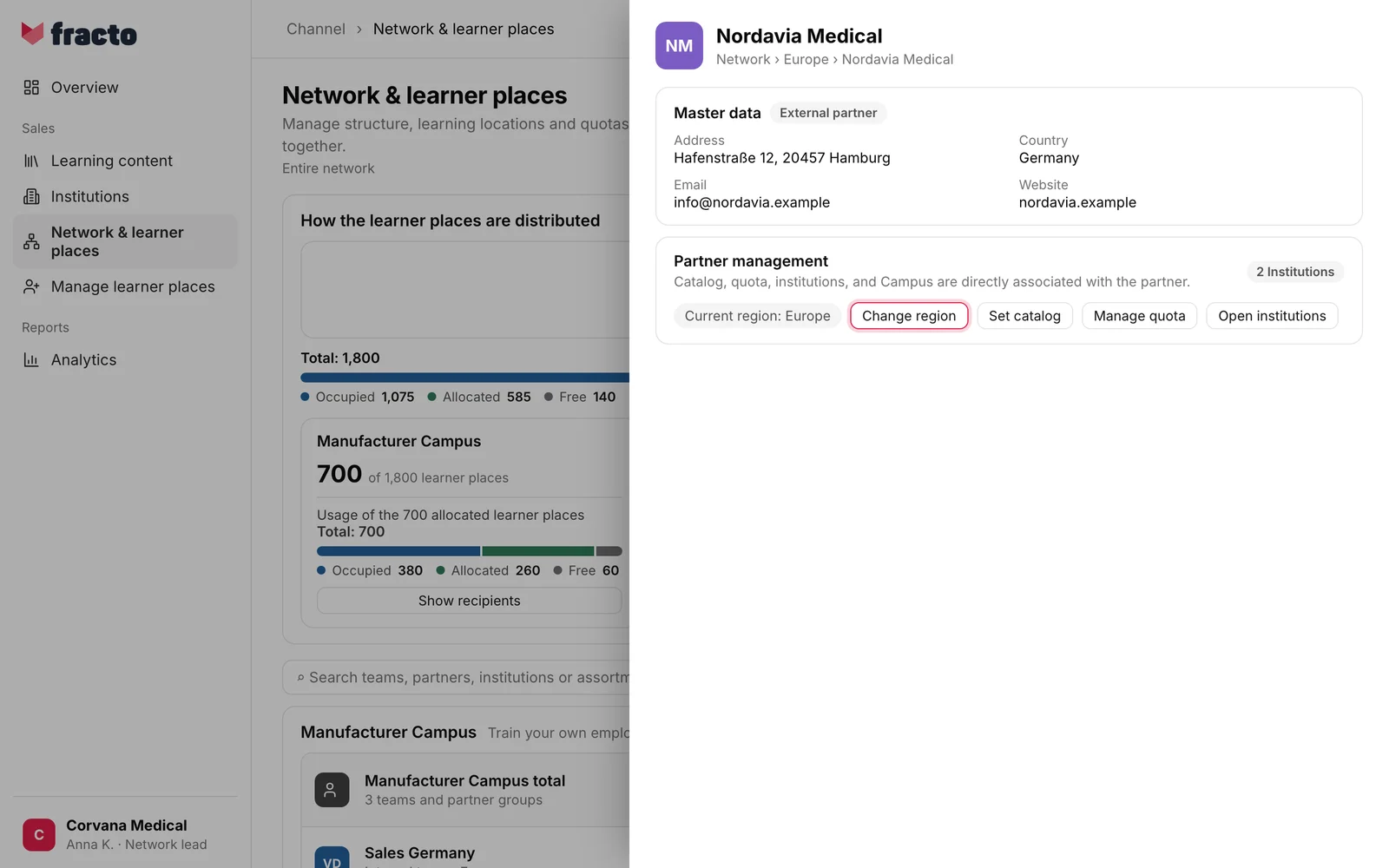
In Channel, open Network & learner places and click the partner. The partner profile opens. Under Partner management it shows “Current region: …”.
-
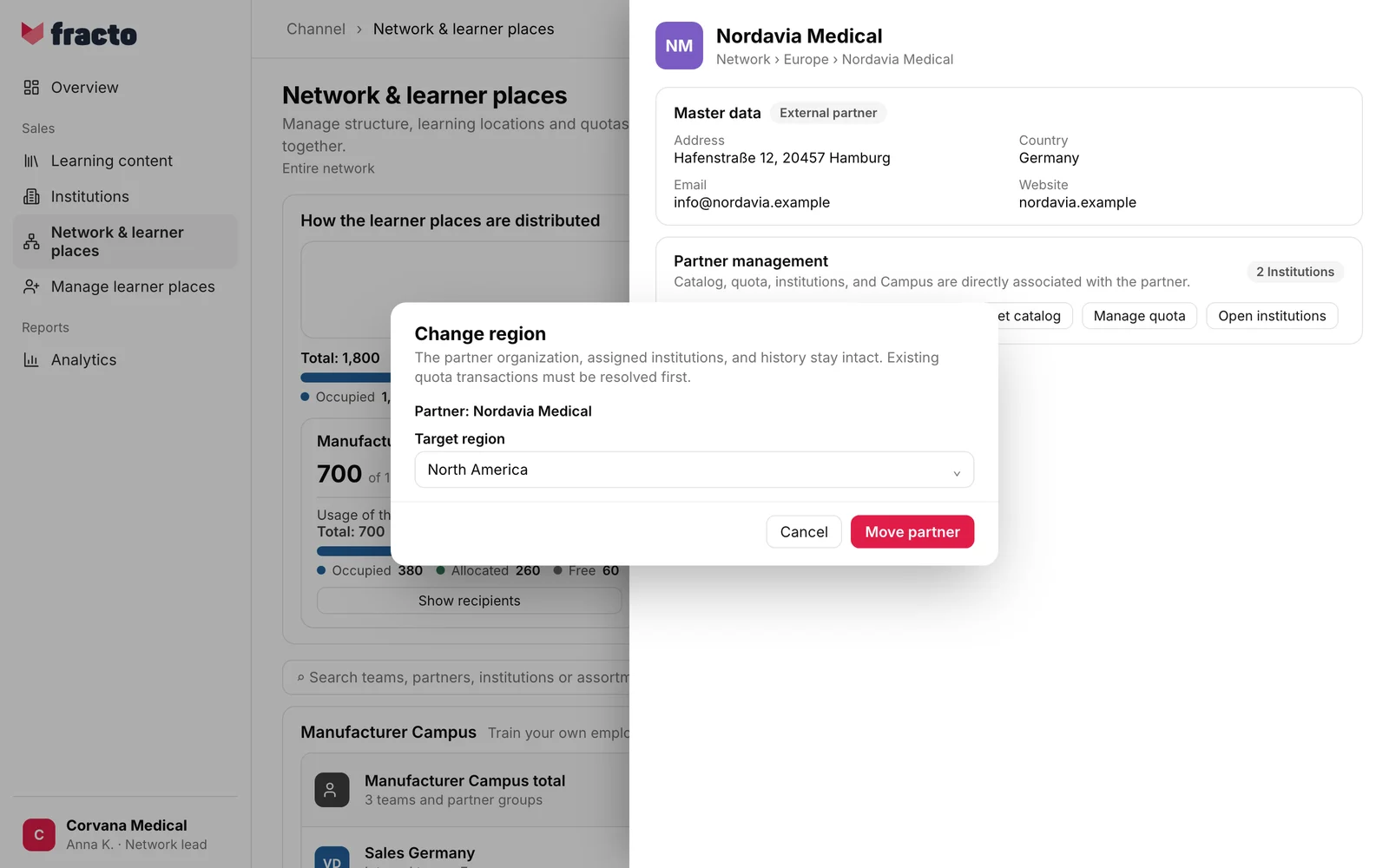
Click Change region. The Change region dialog opens with the partner (“Partner: …”).
-
Under Target region, choose the region the partner should move to. Without a choice, Move partner is disabled.
-
Click Move partner.
You know it worked when the dialog closes and the message “Partner moved to …” appears at the bottom. In the list, the partner now sits under the target region, which is expanded.
What happens next
- Only the partner’s region changes. The partner organisation, the assigned institutions and the history stay intact. That is what the dialog says.
- No learner places are moved. The partner group’s learner places sit in the manufacturer Campus, and the institutions keep the region their learner places come from. The dialog also notes that existing quota transactions must be resolved first.
- Anyone responsible for one region only, for example as a region lead, sees the partner in the target region afterwards and no longer in the old one. Nothing changes for people responsible for the partner itself or for the whole network.
- The catalogue, the manufacturer approval and the partner lead stay as they are.
If it does not work
| Message | What it means |
|---|---|
| The partner has changed. Reload the network structure and try again. | Someone changed the partner or its quota while the dialog was open. Reload the page and try again. |
| You do not have permission to perform this network action. | You lack the right for this action. |
| Channel could not process the sales network. Please try again. | General message. It also appears if the target region already has an entry with the same name, if the partner is already in that region, if it has been archived, or if the target region is not in your scope. |
Checked on 6 November 2026 against the current Fracto release.
