All blocks in the Studio block library by category, with descriptions, and which blocks learners have to complete.
The block library sorts all blocks by category. This page lists them as the library shows them, and says which blocks keep a lesson open for learners.
How to find a block
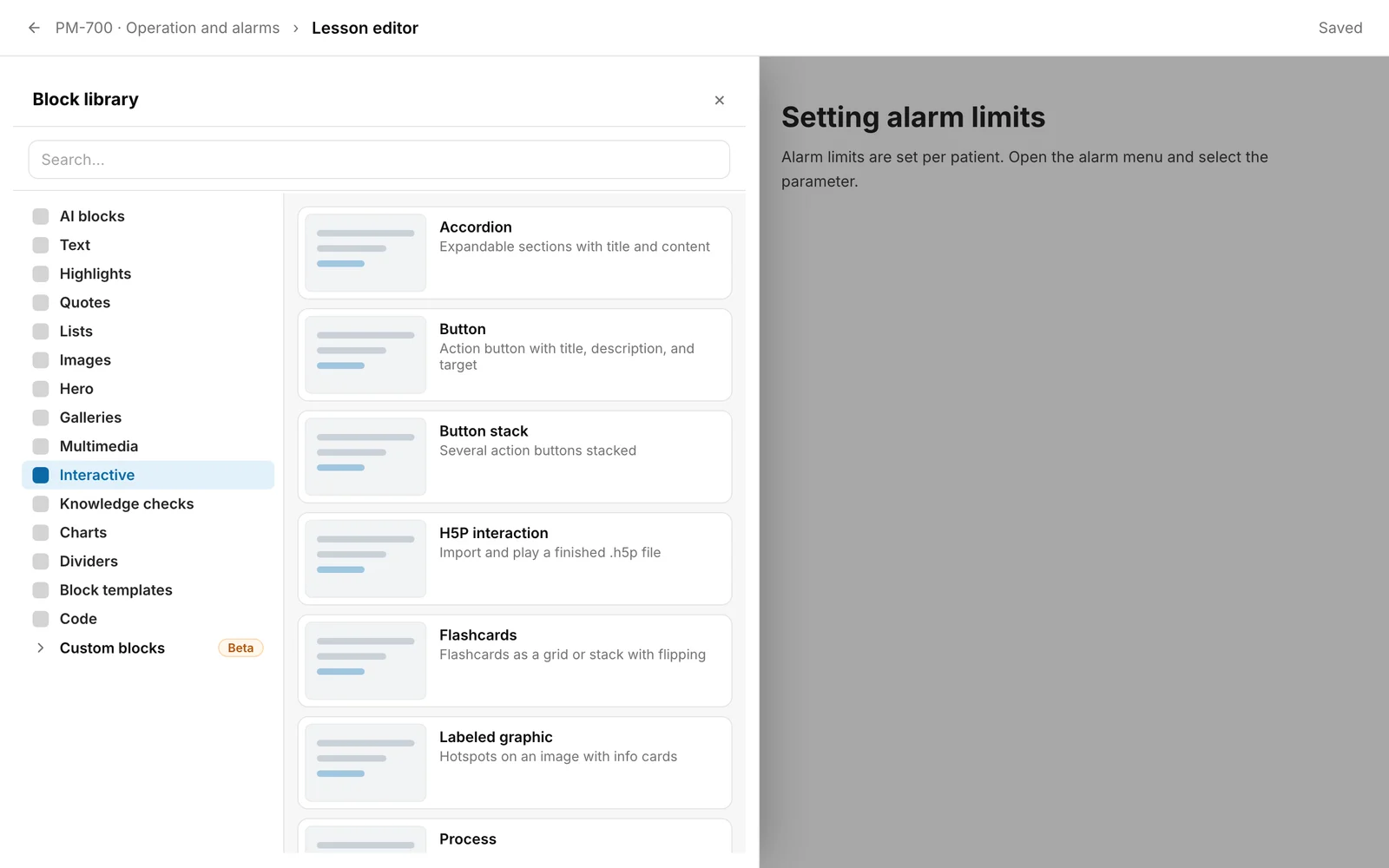
- In a lesson, open the Block library (see “Edit a lesson with blocks”). It opens as a panel from the left. On a wide screen, the categories are on the left and the blocks of the chosen category on the right. At the start, the first category is chosen: AI blocks, without AI blocks Text. On a narrow screen you first choose a category and come back with Categories (arrow pointing left).
- Each block has a preview, a name and a short description. A click inserts it.
- The Search… field searches names, descriptions and categories. Matches are grouped by category, the best first. Without matches it says “No matches.” You choose a match with the arrow keys and insert it with the Enter key. After a search, the first match is preselected.
- If you copied a block with Copy (for another lesson), it appears at the top of the library as “Paste copy: …”.
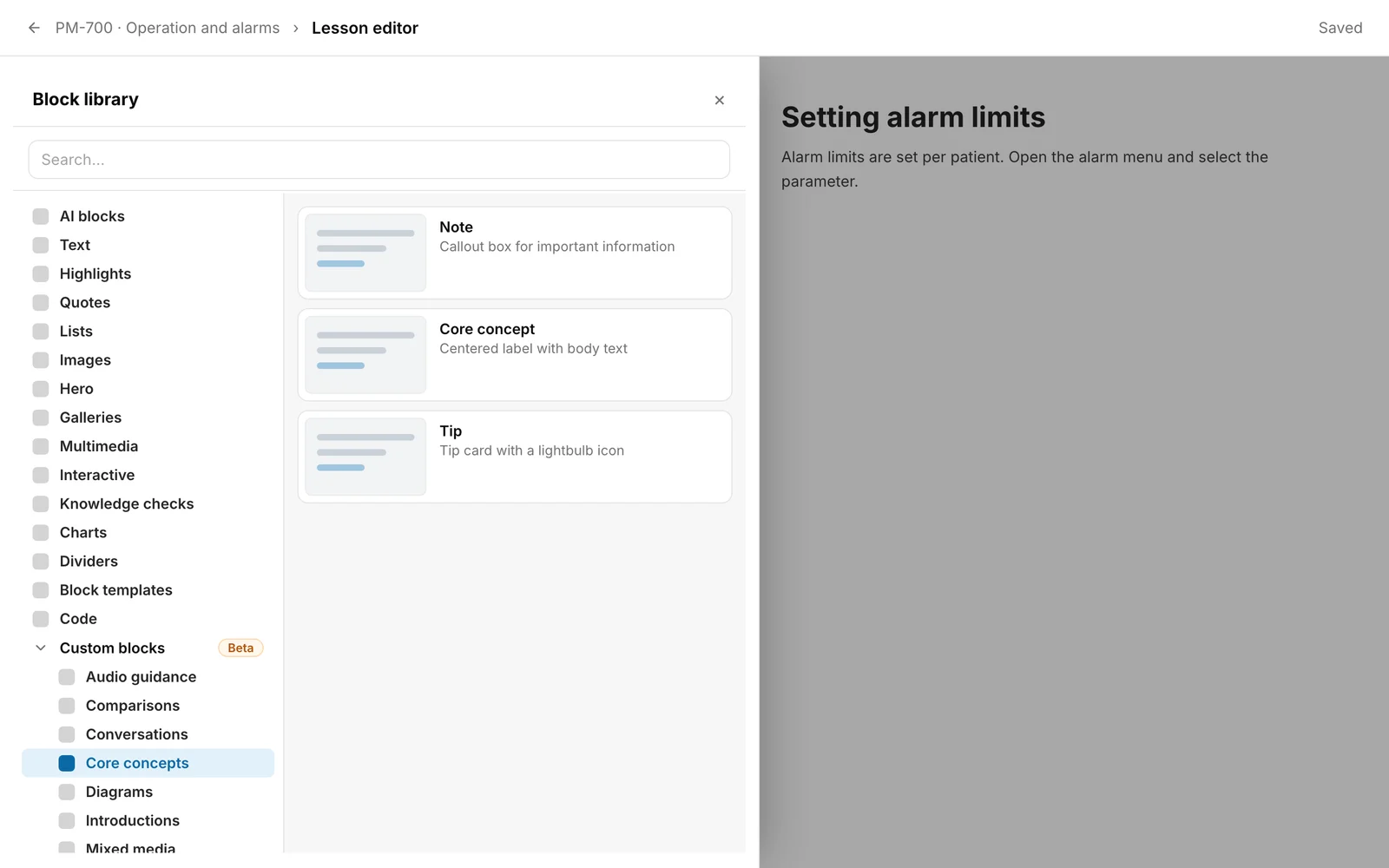
- You see AI blocks with the Hub task Create courses. The eleven categories from Audio guidance to Testimonials are not in the main list but under Custom blocks (Beta). Click it to expand them.
Which blocks learners have to complete
Most blocks are plain content. The following keep a lesson open until learners have completed them (see “Finish a lesson: what is still open”):
- Open every element once: Accordion, Tabs, Flashcards, Labeled graphic, Process, Timeline.
- Answer every question (if a question is set to “Require a correct answer to continue”, only the correct answer counts): Single choice, Multiple response, True or false, Fill in the blank, Matching and the AI block Knowledge check.
- Course evaluation: submit it. This applies to the round “Before the course” and to “Once”, not to “After the course”. That round opens only after the exam is passed.
- H5P interaction: report the result, unless the course shows the content for viewing only.
- Video: only if Video must be watched to the end is switched on in the video block.
All other blocks keep nothing open, including the Sorting activity.
In some courses, learners can confirm all explore requirements and the video with “I have worked through this lesson”. Questions, evaluation and H5P content then stay open (see “Finish a lesson: what is still open”).
The categories
The order matches the library.
AI blocks
| Block | Description |
|---|
| Create with AI | Choose a source, pick a block type, and insert it in the dialog |
| Knowledge check | Generate a question set from the knowledge base, a chapter, or a lesson |
Text
| Block | Description |
|---|
| Columns | Two-column layout with free content |
| Heading | Headings H1–H3 |
| Paragraph with heading | Paragraph block with a heading above |
| Paragraph with subheading | Paragraph block with a subheading above |
| Table | Table with rows and columns |
| Text | Free text with formatting |
Highlights
| Block | Description |
|---|
| Note | Callout box in note style |
| Statement A | Highlighted quote/key statement |
| Statement B | Compact statement card with an alternative layout |
| Statement C | Inverted statement with strong contrast |
| Statement D | Soft statement with italic emphasis |
Quotes
| Block | Description |
|---|
| Quote A | Basic quote with an accent line |
| Quote B | Card quote with a subtle border |
| Quote C | Colored quote variant |
| Quote D | Large italic editorial quote |
| Quote carousel | Quote sequence with navigation and page indicator |
| Quote on image | Quote over a large image |
Lists
| Block | Description |
|---|
| List | Bulleted list, numbered list, or checklist |
Images
| Block | Description |
|---|
| Banner | Flat, full-width header image with caption |
| Centered image | Centered single image with caption |
| Full-width image | Full-width image across the entire width |
| Quote carousel | Several quotes as an image sequence with dots |
| Quote on image | Quote over a large background image |
| Text on image | Image with a light overlay and white text |
Hero
| Block | Description |
|---|
| Centered hero | Full-bleed background image with a centered title |
| Hero left with wave | Text left, image right with a wave cut |
| Split hero | 50/50 image and text side by side |
Galleries
| Block | Description |
|---|
| Carousel | Image sequence with navigation and dots |
| Four-column grid | 4 images side by side |
| Three-column grid | 3 images side by side |
| Two-column grid | 2 images side by side |
| Block | Description |
|---|
| Attachment | File download card |
| Audio | Audio player with duration and speed |
| Embed | External embedded media (e.g. Vimeo) |
| Video | Video block with poster image and play icon |
Interactive
| Block | Description |
|---|
| Accordion | Expandable sections with title and content |
| Button | Action button with title, description, and target |
| Button stack | Several action buttons stacked |
| H5P interaction | Import and play a finished .h5p file |
| Flashcards | Flashcards as a grid or stack with flipping |
| Labeled graphic | Hotspots on an image with info cards |
| Process | A clickable flow with introduction, steps, and summary |
| Sorting activity | Assign cards to categories with drag and drop |
| Tabs | Several tabs with an active content pane |
| Timeline | Vertical timeline with sortable event cards |
Knowledge checks
| Block | Description |
|---|
| Fill in the blank | Body text with several gaps and allowed answers per gap |
| Matching | Match pairs with drag and drop |
| Single choice | Question with radio buttons — exactly one correct answer |
| Multiple response | Question with checkboxes — multiple correct answers possible |
| True or false | Question with two answer buttons — true or false |
| Course evaluation | Rating at the end of the course – required for continuing education certificates (CE/CPD) |
Charts
| Block | Description |
|---|
| Bar chart | Bar chart with X/Y axes |
| Line chart | Line chart with X/Y axes |
| Pie chart | Pie chart with a color per segment |
Dividers
| Block | Description |
|---|
| Divider | Horizontal divider |
| Numbered divider | Divider with a number badge |
| Spacer | Vertical spacing (XS / S / M / L) |
Block templates
This category is empty. The library shows “No blocks in this category yet.”
Code
| Block | Description |
|---|
| Code | Source code with language & line numbers |
Two blocks look alike: Note in the category Core concepts (German “Hinweis”) and Note in the category Highlights (German “Notiz”). Both are called “Note” in the English interface.
Custom blocks (Beta)
This group contains ready-designed variants, alphabetically by category. In the library the categories are indented under Custom blocks.
Audio guidance
| Block | Description |
|---|
| Coach check-in | Personal audio address from a coach |
| Guided progress check | Progress check with avatar + bar + audio |
| Key takeaways | Numbered list + avatar + audio |
| Reflection | Large reflection question + avatar + audio |
| Simple progress check | Avatar on the left + audio player on the right |
| Narration | Story title + narrator + audio |
Comparisons
| Block | Description |
|---|
| Before and after | Two columns: current state vs. target state |
| Cause and effect | Cause → effect with an arrow |
| Right and wrong | Green recommendation and red warning |
| Myth and fact | Refute misconceptions |
| Pros and cons | Pros and cons with bullet lists |
Conversations
| Block | Description |
|---|
| Chat feedback | Messaging style with alternating bubbles |
| Dialogue | Large alternating speech bubbles |
| Question and answer bubbles | Question bubble + answer bubble |
| Question wall | Grid of speech-bubble questions |
| Reviews | Avatar + star rating + text |
Core concepts
| Block | Description |
|---|
| Note | Callout box for important information |
| Core concept | Centered label with body text |
| Tip | Tip card with a lightbulb icon |
Diagrams
| Block | Description |
|---|
| Milestones | Alternating vertical timeline |
| Pyramid | SVG pyramid with N levels |
| Simple process (horizontal) | Numbered cards with arrows |
| Simple process (vertical) | Stacked pills, vertical |
| Stepped process | Round markers + title + text |
| XY chart | Coordinate system with 4 quadrants |
Introductions
| Block | Description |
|---|
| Difficulty | Black pill + 5 difficulty dots |
| Keywords | Grid of pill tags |
| Lesson introduction | Large title + subtitle + learning objectives |
| Table of contents | Numbered accent-pill list |
| Text and image | Full-width image with title overlay |
| Block | Description |
|---|
| Bio | Photo + title + bio + audio |
| Demo recording | Video, title, and bullet list |
| Personal responses | Grid: image + name + audio |
| Multimedia exercise | Task + audio + accent card |
Organization
| Block | Description |
|---|
| Leadership team | Grid: photo + name + role |
| Mission | Image + pill + statement |
| Mission & Vision | Two statements side by side |
Personas
| Block | Description |
|---|
| Audio focus | Peach card, avatar + audio |
| Simple persona | Photo + name + key-values + bio |
Prompts
| Block | Description |
|---|
| Decision | Scenario + N option cards |
| Instead | Pairs of “Instead of” and “Better this way” |
| Personal commitment | Lined input field |
| Progress check | Questions with an icon on peach cards |
| Question | Peach card with a large bold question |
| Transfer to the team | N sections with icon + text |
Testimonials
| Block | Description |
|---|
| Bios | Grid: photo + overlay + name + quote |
| Quote cards | Image + quote border box |
| Quotes | Accent-color cards, quote + avatar |
| Two-thirds quote | Round photo + quote + author |
Checked on 6 November 2026 against the current Fracto release.