
See what a learner sees
How to open the Player read-only as a learner from Campus to see their courses and progress, and what is logged when you do.
With the learner view you see the Player the way a person sees it: their courses and saved progress. In the Player it is called ghost mode. The view is read-only and ends after 15 minutes.
Before you start
- You need the task Manage Campus (Campus manager). With Manage department the entry does not exist.
- The entry is also missing for your own person and for people whose membership in the institution is not active.
- People with a work task in the workspace (staff, for example lecturers or department heads) cannot be viewed. Campus then says: “This person cannot be viewed as a learner.”
- Your browser must allow a new window. Your own Player sign-in in this browser will be ended.
How to open the view
-
In Campus, open Learners and click the person.
-
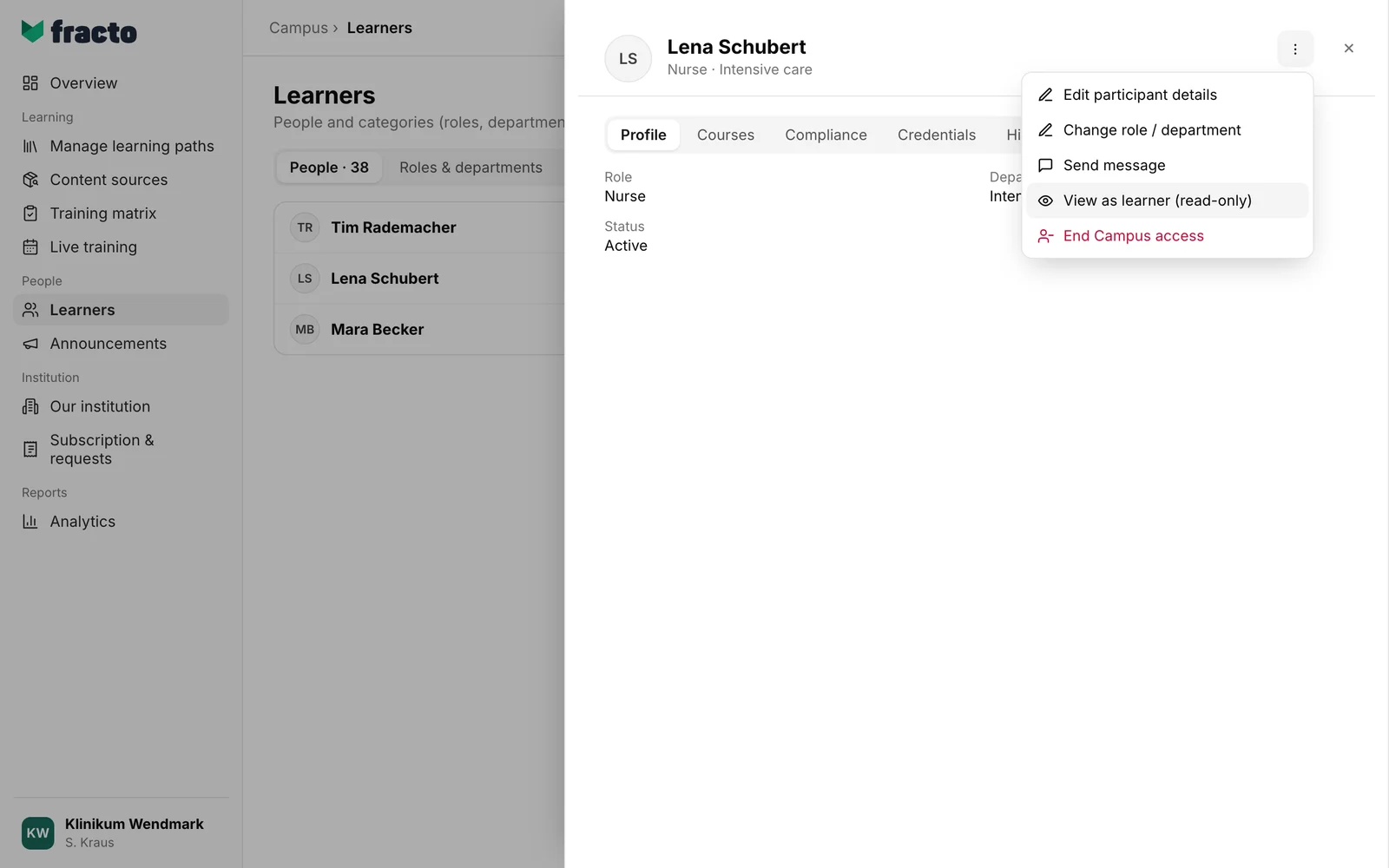
At the top of the window, click the three-dot menu (More actions) and choose View as learner (read-only).
-
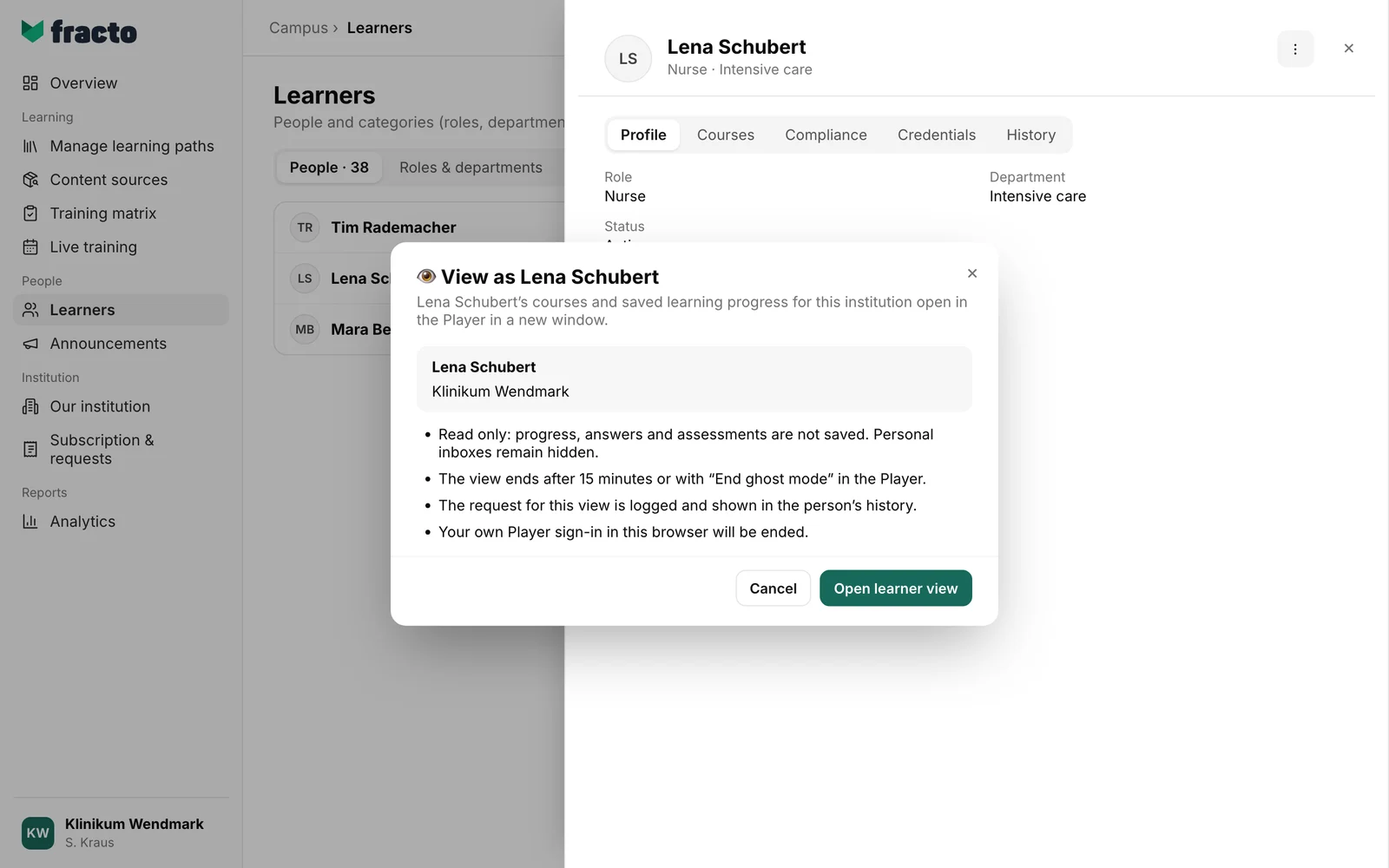
The dialog “View as Lena Schubert” states the conditions: read-only, duration, logging, sign-out. Click Open learner view.
-
The Player opens in a new window with the person’s courses and progress in this institution. A red banner at the top says “Learner view · Read only”, whom you are viewing, who requested the view and until when it lasts.
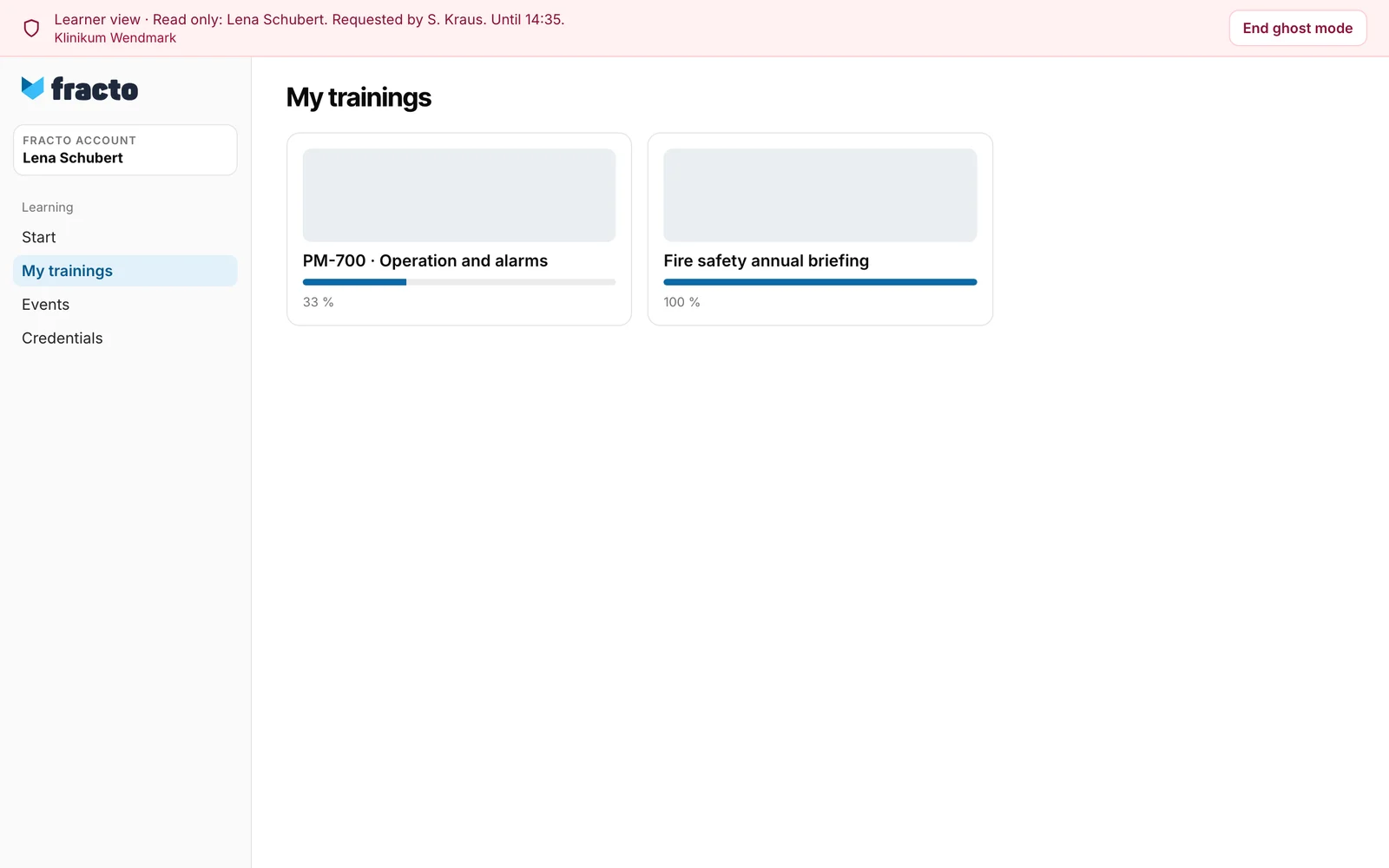
You can tell it worked: the Player shows the red banner with the person’s name.
What the view shows and what it does not
- Read-only: progress, answers and assessments are not saved. If you try to save something, you see “Nothing is saved in read-only ghost mode.”
- Personal inboxes remain hidden. The person’s personal files (My files) cannot be opened in this view either.
- The view applies to the institution in which you opened the person.
What happens next
- After 15 minutes, “This learner view has expired.” appears. No further content is loaded. If needed, open a new view in Campus. With End ghost mode in the Player you end the view earlier; the window closes or shows the Player start page.
- Fracto checks the permission when you open the view and on every further request. If the person loses their membership or you lose your task, the view ends earlier.
- The request is logged and appears in the person’s History as “Read-only learner view requested”.
- End ghost mode ends only this view, not your Fracto sign-in.
If it does not work
| Message | What it means |
|---|---|
| The Player could not be opened. Please try again. | The window did not open, for example because the browser blocked it. Allow the window and try again. |
| This person cannot be viewed as a learner. | The person is staff of the institution, not active, or your own person, or you lack the task Manage Campus. |
| The view could not be ended. Please try again. | Click End ghost mode in the Player again. |
Checked on 6 November 2026 against the current Fracto release.
