
Subscription and requests
How to read your licence, quotas and invoices in Campus and follow your requests to Fracto under Subscription & requests.
Under Subscription & requests you see what your institution has booked: licence, learner places, add-ons and invoices. You also follow your requests to Fracto here. This article does not give prices.
Before you start
- You see the entry Subscription & requests in the menu under Institution only with the task Manage Campus. With Manage department it does not exist.
- If you see the page in a session without permission to request, for example as Fracto support, the top says: “Read-only: you can view learner place data, but you cannot send learner place or add-on requests.” The buttons for requesting are then locked.
How to read the overview
- Click Subscription & requests in the menu. A window opens with the tabs Overview and My requests. You see My requests first. Switch to Overview.
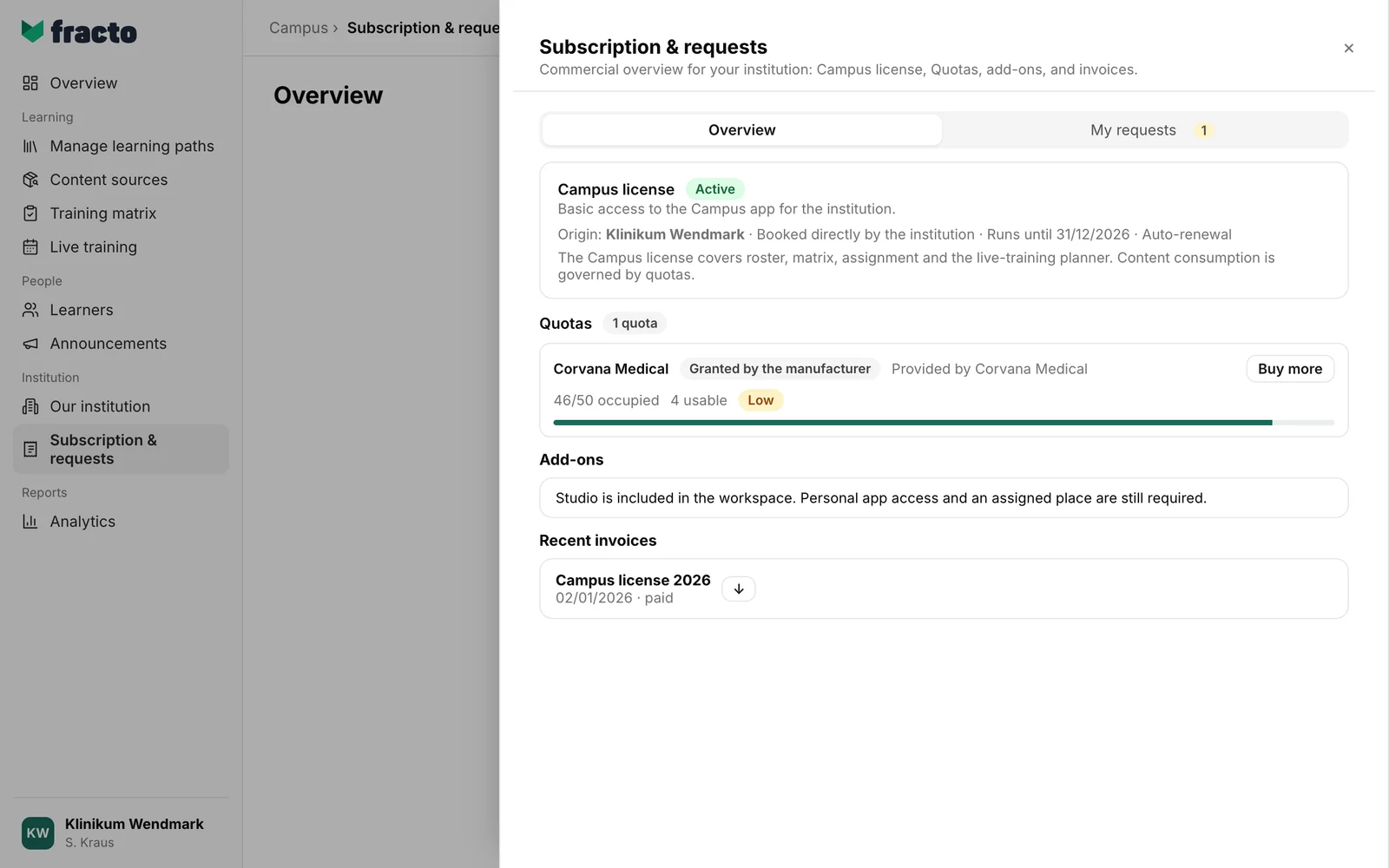
- The card Campus license shows Origin, the status (Active, Cancelled or Not booked), Runs until (or Unlimited) and whether it renews (Auto-renewal or No auto-renewal, possibly “cancellable with … notice”). The licence covers roster, matrix, assignment and the live-training planner. Content consumption runs through the quotas. With Campus Light this shows Campus Light instead, see Campus Light and Campus Full.
- Under Quotas there is one card per provider: origin (“Provided by …” or “Self-purchased”, next to it the badge Granted by the manufacturer or Self-purchased), “x/y occupied”, how many learner places are usable and a progress bar. If five or fewer places are free, Low is shown, at zero Exhausted. Manufacturer learner places are tied to the manufacturer’s content. Learner places for own content cover internally produced content, live recordings and Studio courses.
- Under Add-ons it says whether a Studio is included in the workspace and, if lecturers are active, the card Contributor places for lecturers with Basic and Contributor access. Manage leads to Our institution on the tab Lecturers.
- Recent invoices shows the last three invoices with date and status (open, paid, voided). If there are more than three, Show all appears (afterwards Show recent only). The icon with the tooltip “Download PDF” downloads an invoice.
How to request something and follow it
- You request more learner places on the card in the Quotas area: Request or, if already booked, Buy more. Campus then opens the request for that source in Content sources.
- You request Campus Full if you have Campus Light, see Campus Light and Campus Full.
- All requests are on the tab My requests with type, date and status: Open, In progress or Done, or, once decided: approved, partially approved, rejected, cancelled. A number on the tab shows the open and in-progress ones.
- Clicking a request opens context, History and comments. With Add comment and Send comment you answer queries. A closed request is read-only.
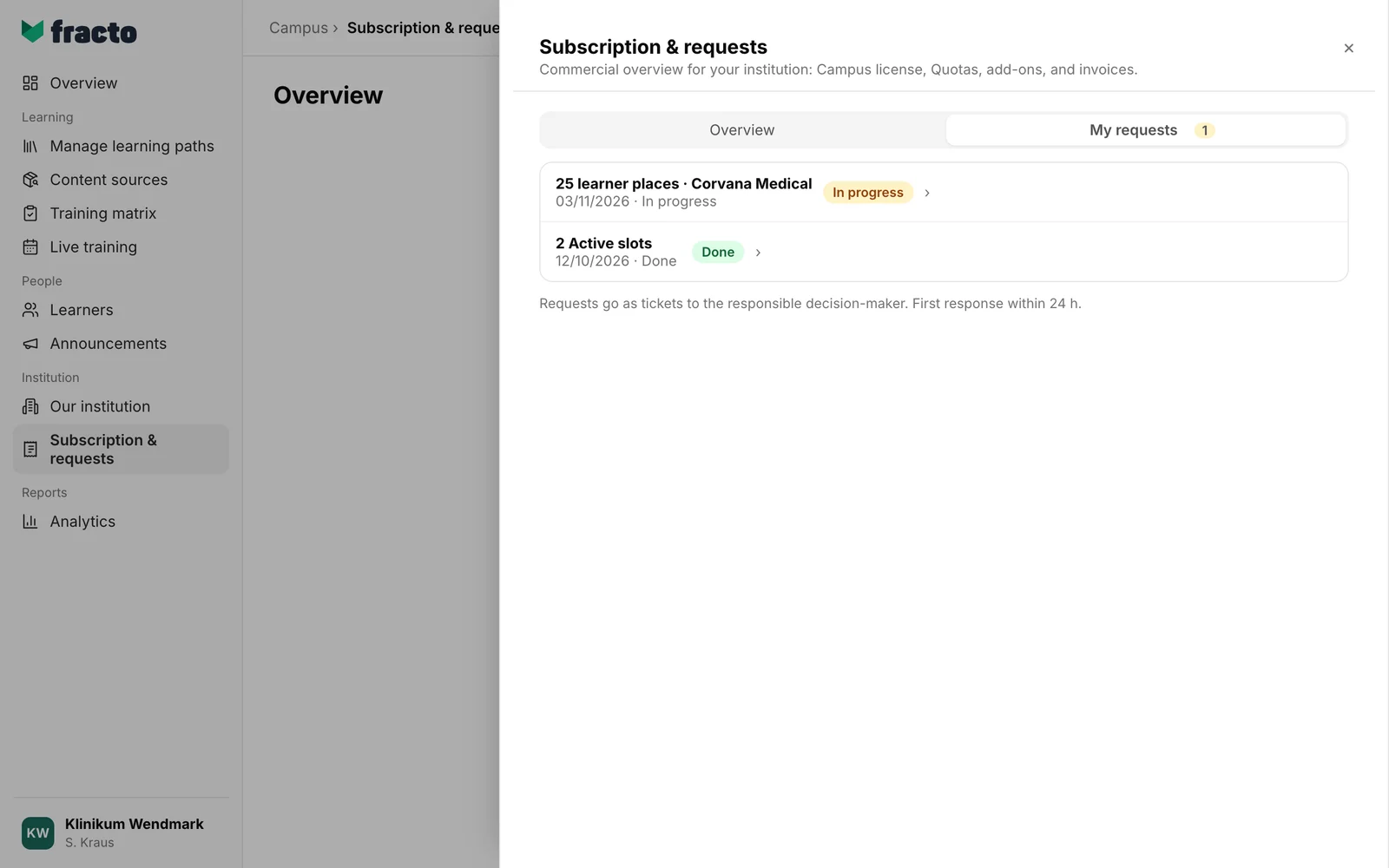
Requests go as tickets to the responsible decision-maker. The first response comes within 24 hours. For questions about pricing or larger changes, the page names Fracto Sales at sales@fracto.health. More ways are in Get help.
If it does not work
| Message | What it means |
|---|---|
| You do not have permission to view subscription and license data for this institution. Below it: This view stays locked. Ask a Campus administrator for access. | You opened the area through a link without the task Manage Campus. You do not see it in the menu anyway. |
| Select an available institution to see subscription and license data. | No institution is selected. |
| Subscription and license data are not available for this institution. | There is no data for the chosen institution. |
| Subscription and license data could not be loaded. | Click Try again. |
| Could not load requests. | The detail of a request could not be loaded. Use Back to My requests to return to the list and open the request again. |
Checked on 6 November 2026 against the current Fracto release.
