
Offer a course in the catalog
How to release your own course in Campus as a voluntary offer: choose the audience, with or without approval, and withdraw it later.
Requires: Studio courses with Campus Full, SCORM packages also without
The catalog offers one of your own courses on a voluntary basis. Learners pick it in the Player themselves, without you assigning it or adding it to the training matrix.
Before you start
- You can offer your own courses: courses your institution published in Studio and SCORM packages you uploaded yourself. Manufacturer courses cannot be offered. Studio courses come with Campus Full. SCORM packages also work with Campus Light.
- Only Campus managers see and change the release. Other roles see an error message at this spot.
- The course is published. See “Create your own courses” or “Upload a SCORM package”.
Offer a course
-
In Campus, open Manage learning paths. In the course list, own courses are marked “Own” and uploaded packages “External”. Click the course. The details open.
-
Find the Offer in catalog card. It shows “Not released in the catalog” as long as nothing is released.
-
Under Participation, choose how learners take part: Join immediately is preselected. With With approval, learners request participation and a Campus manager decides.
-
Under Visible to, choose who is offered the course: All learners at the institution, Selected roles or Selected departments. For the last two, tick at least one role or department. Without a selection, Save release stays disabled.
-
Click Save release.
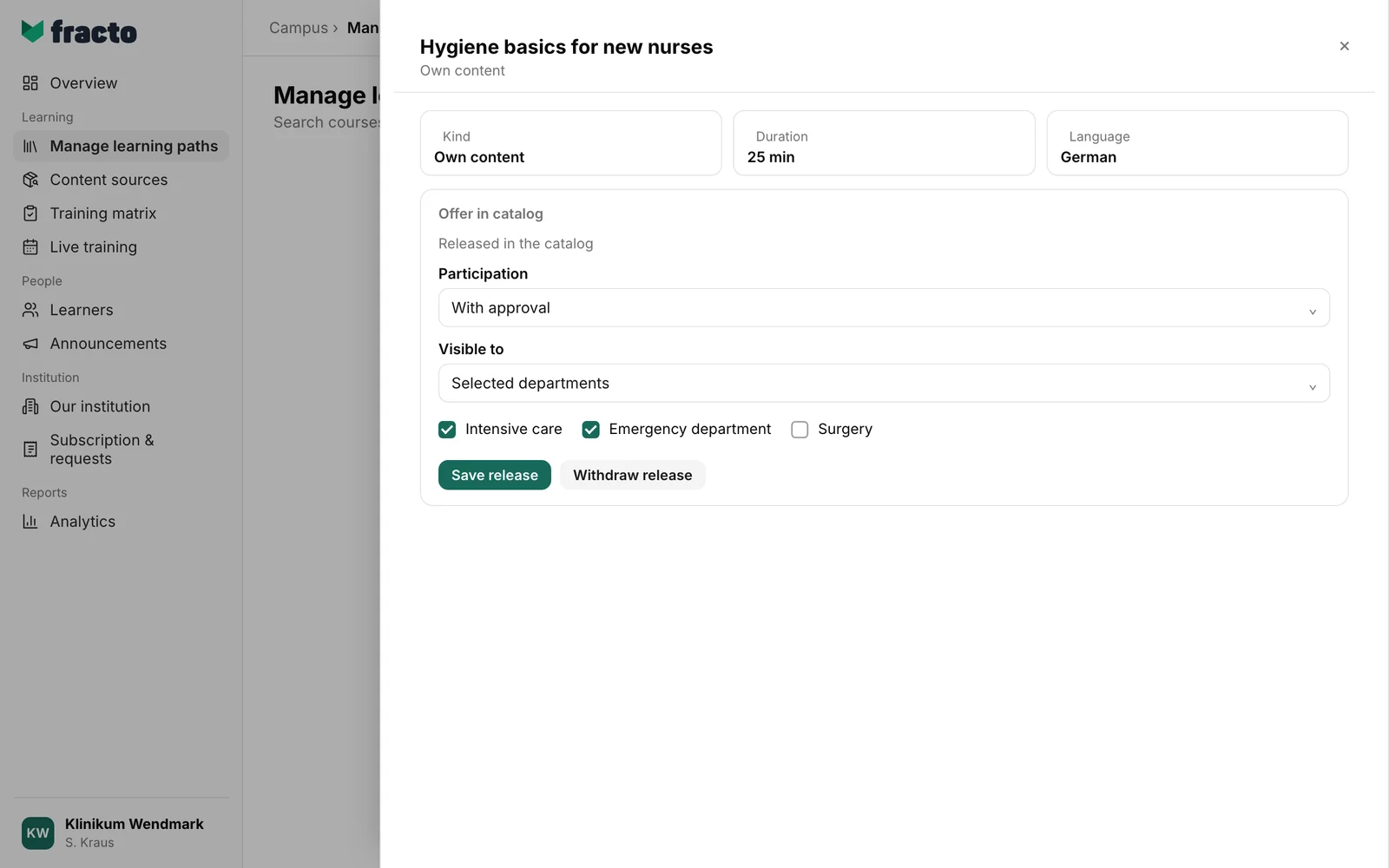
You can tell it worked: the card shows “Released in the catalog”, and the Withdraw release button appears. If it fails, it says “The catalog could not be updated.”
What happens next
- Learners in the chosen audience see the course in the Player under “Catalog”: “Choose an optional course from your institution. Joining may use a learner place.” With Join immediately the course shows “Join”, with With approval “Request participation”. After that it shows “Participation requested – awaiting approval”, and after a rejection “Participation request rejected”.
- Requests go to the Campus managers of your institution and appear as the kind “Learner access”. See “Approve access requests”.
- If no learner place is free, the person waits: “Waiting for a learner place”. If a person already has the course assigned as an obligation, the obligation stays.
- Fracto sends no notifications for this: not when you release a course, nor for a request or a decision. Campus managers see open requests as described in “Approve access requests”; learners see the status in the Player under “Catalog”.
- With With approval, only a person with a confirmed primary email address can request. Otherwise the Player shows: “The catalog could not be loaded or participation could not be started.”
- Voluntary participations show in the person’s record marked “Voluntary”.
- To change a saved release, adjust participation or audience and click Save release again. If a chosen role or department has been archived since, it stays selected as “Archived” until you remove it.
- Withdraw release takes the course out of the catalog. A confirmation names the effect, for example for three participations: “Voluntary access for 3 participations ends. Earned certificates are retained.” Mandatory assignments are untouched, only voluntary participations end.
If it does not work
| Message | What it means |
|---|---|
| The catalog could not be updated. | The release could not be loaded, saved or withdrawn. Common reasons: your role cannot release, the course is no longer an own course, or your institution has no Campus Full for Studio courses. Check role and selection and try again. |
Checked on 6 November 2026 against the current Fracto release.
