
Download your data or delete your account
How to download a package of the data Fracto stores about you and how to request or withdraw deletion of your Fracto account.
On the Data tab of your account you download everything Fracto stores about you and, if you want, request deletion of your account.
Before you start
- Open the account menu at the top right, choose Profile, then the Data tab.
- Deletion concerns your global Fracto account and applies across all institutions. If you only want to stop at one institution, contact that institution.
- The data package and the deletion are only available to you. Support cannot trigger them on your behalf either.
Download your data
-
Under Take your data with you click Create package. While it is being created it says “Creating package…”. That can take a while, especially with many files in My files.
-
After that it says “Your package from … is ready. Available until …”. Click Download. You get the file
fracto-data-<date>.zip. -
If you need a newer package, click Create again. The old package becomes invalid once the new one is ready. If creating fails, the old one stays.
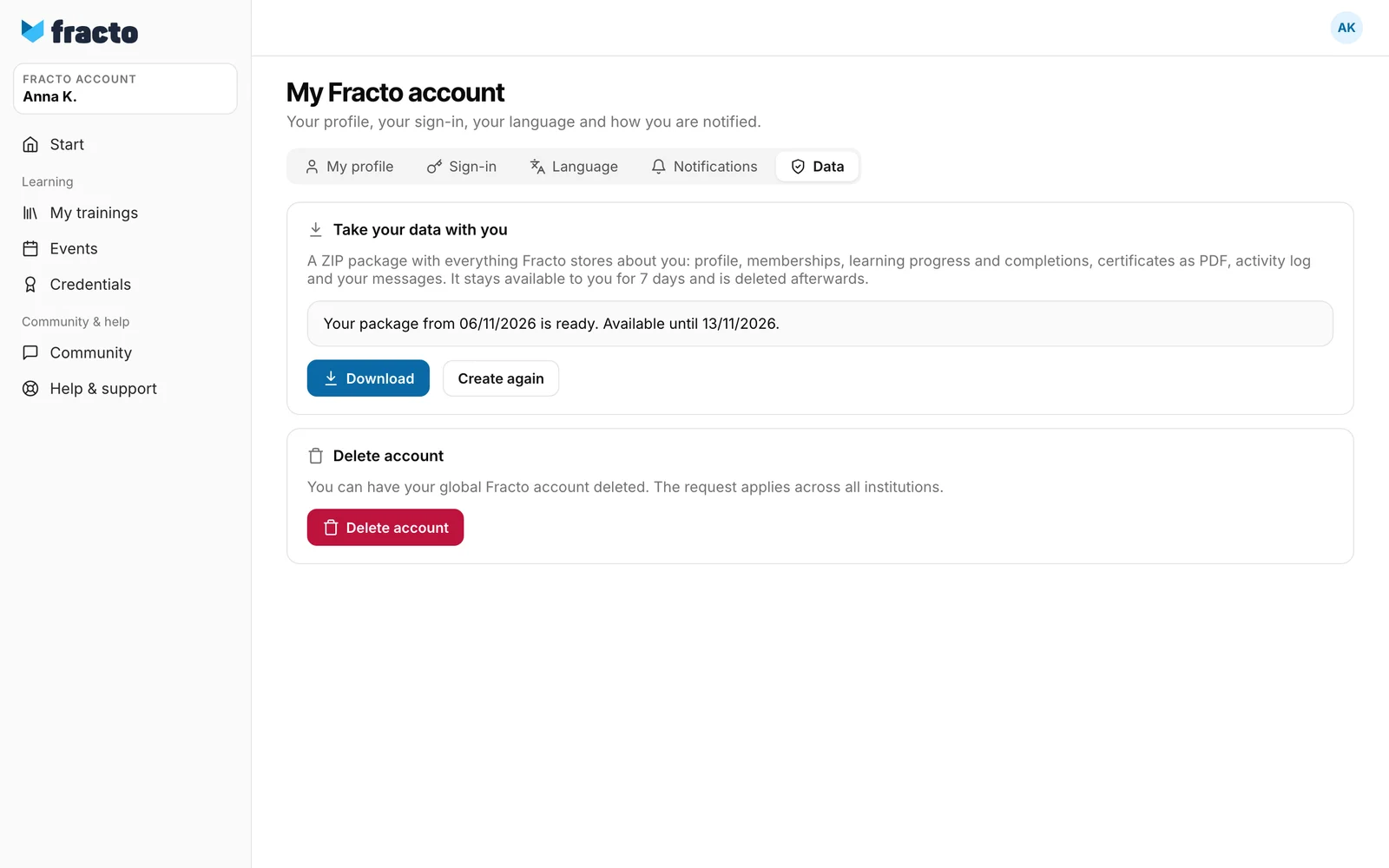
The package contains one JSON file per area (profile, memberships, learning, credentials, activity, communication, files), your certificates as PDF in the folder certificates, your files from My files in the folder learner-files and a manifest.json listing all files. Passwords, other secrets and internal technical keys are not included. The activity area also holds sign-in sessions with IP address and browser identifier. The file names of the areas are in English (profile, memberships, learning, certificates, activity, communication, files). The package stays available for 7 days and is deleted afterwards. It contains personal data, so keep it safe.
You can tell it worked when the ZIP file is in your downloads.
Delete your account
-
Under Delete account click Delete account.
-
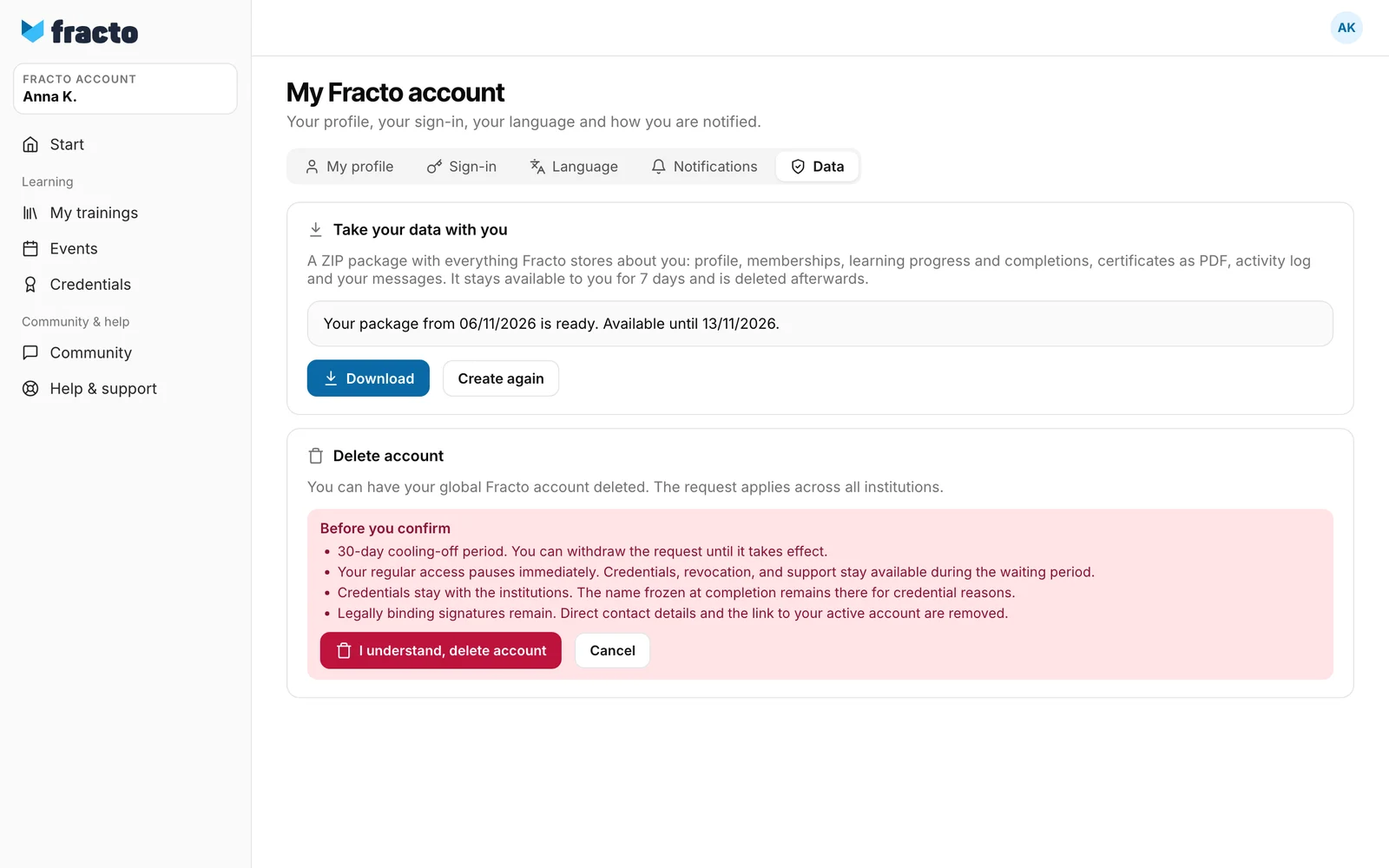
Under Before you confirm there are four notes: 30-day cooling-off period, your access pauses at once, credentials stay with the institutions, legally binding signatures remain. Click I understand, delete account to confirm, or Cancel.
-
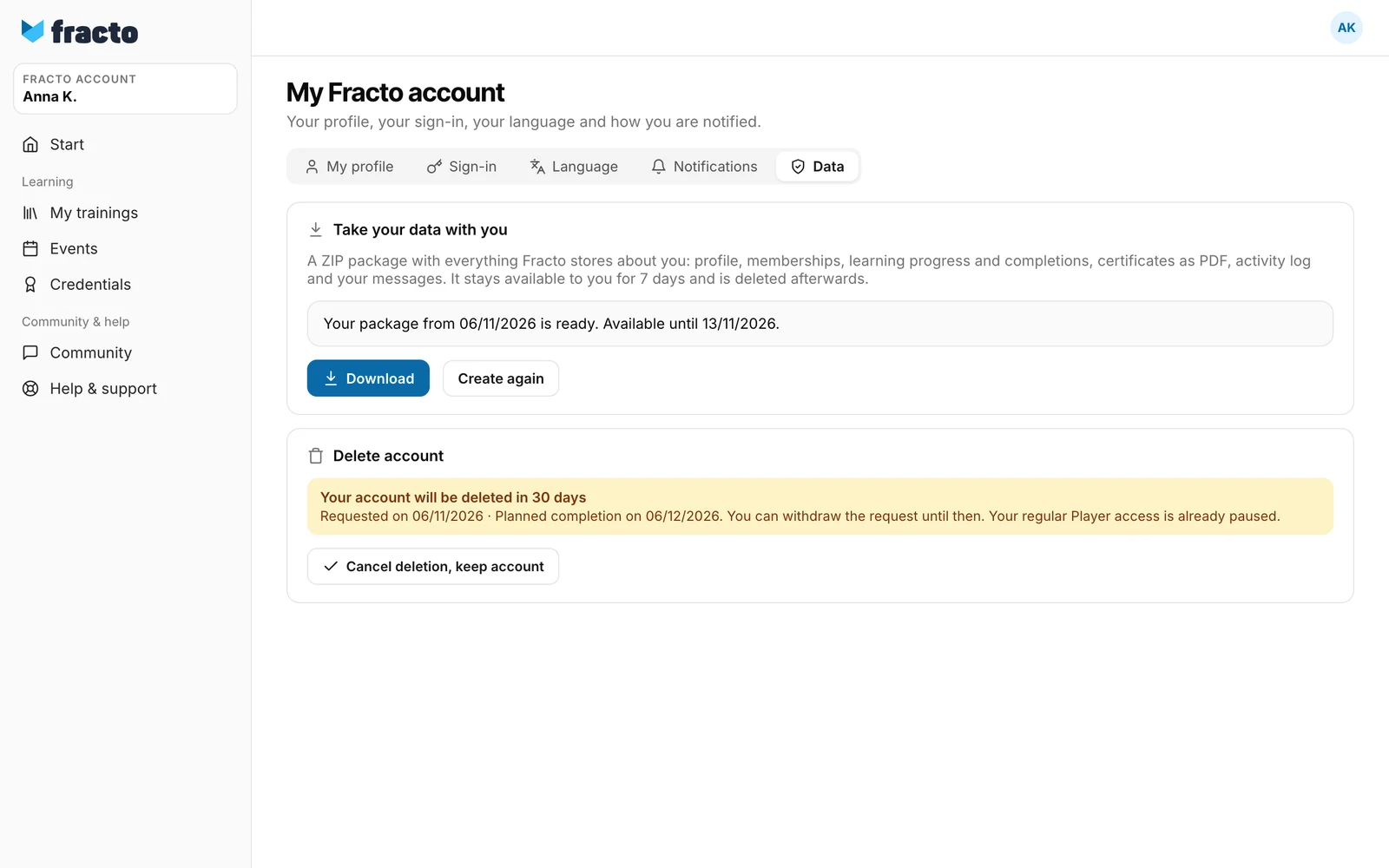
After that it says “Your account will be deleted in 30 days” with the date of the request and the planned completion.
What happens next
-
During the 30 days every page outside your account shows “Your account is scheduled for deletion on …” with the button Open account. Your learning access is paused: courses and events are not available. Your account, your credentials, the language, the data package and support stay reachable.
-
You can withdraw the request until it takes effect: Cancel deletion, keep account. Then everything is as before.
-
After the 30 days the account is deleted. Direct contact details and the link to your account are removed, and so are your files in My files and your data packages. Your certificates stay with the institutions and can still be verified. The verification page keeps showing the name from the day of issue. Completions without a certificate, learning progress and event registrations are deleted. Forum posts and messages stay, with your name replaced by a placeholder. Legally binding signatures remain.
If it does not work
| Message | What it means |
|---|---|
| That didn’t work (HTTP …). | For the package: creating or downloading failed. With HTTP 404 the package is gone because the 7 days are over. Create a new one. For deletion: with HTTP 409 the request is already being processed or there is no request you could withdraw. Reload the page. |
| The status of your data deletion could not be loaded. Please try again later or contact support. | The status did not load. |
Checked on 6 November 2026 against the current Fracto release.
