
Contract and usage
What you find under Contract and usage in Hub: the active agreement, documents, occupied and free seats, capacity requests, and what is not yet available there.
Under Contract & usage you see your workspace’s agreed scope of services, the current occupancy of your seats and the contract documents. The page shows the current state. You cannot change anything here, only request capacity.
Who sees it
- The page appears for people with the Administer workspace task.
- Only Fracto edits the agreement itself, in Platform Management. In Hub it stays read-only.
- Fracto Support sees the page read-only, without the buttons for requests.
The tabs
| Tab | What it shows |
|---|---|
| Overview | Short version: Active agreement, Usage & capacity and Data availability |
| Contract & scope | Contract details and documents |
| Usage & forecast | Occupancy of seats and pool distribution |
| Offers & changes | Your capacity requests |
| Invoices | not yet available |
Overview
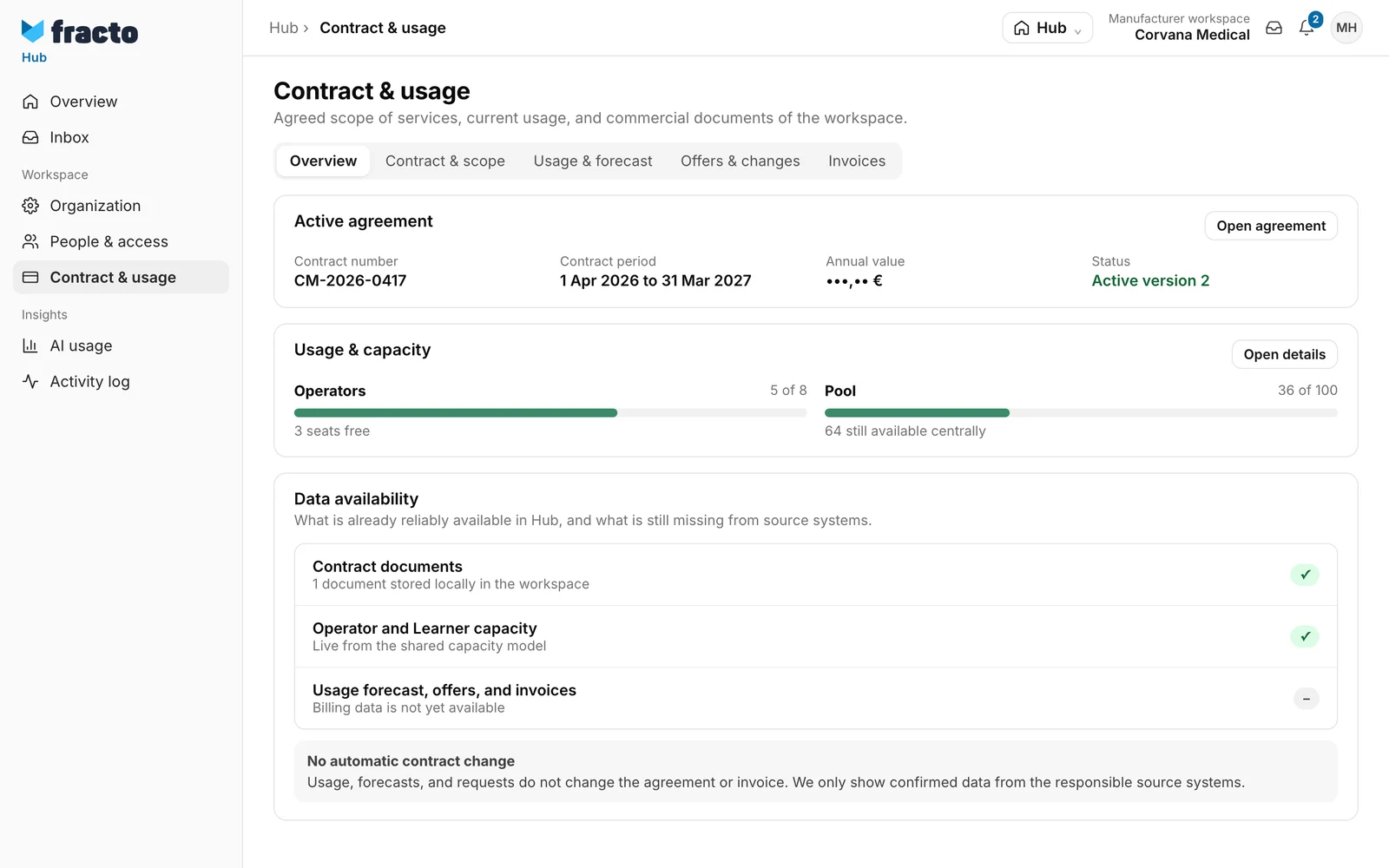
The Active agreement card shows Contract number, Contract period, the field Annual value (this article does not give the figure) and the Status as “Active version …”. Open agreement takes you to the Contract & scope tab. If there is none yet, it says “There is no active commercial agreement yet.”
The Usage & capacity card shows the occupancy of Operators and the Pool. Open details leads to Usage & forecast.
The Data availability card names what is reliably available: contract documents and capacity. Usage forecast, offers and invoices are “not yet available”. Fracto shows only confirmed data.
Contract & scope
Here you find the confirmed contract details, for example Contract number, Effective since, Modules, Contract end, Annual value and Agreed quantities, plus the details under Current document with Counterparty and Reminder. Under Contract documents are the unchanged files. Download downloads a file. If Fracto has not stored anything yet, it says “No agreement stored”.
Usage & forecast
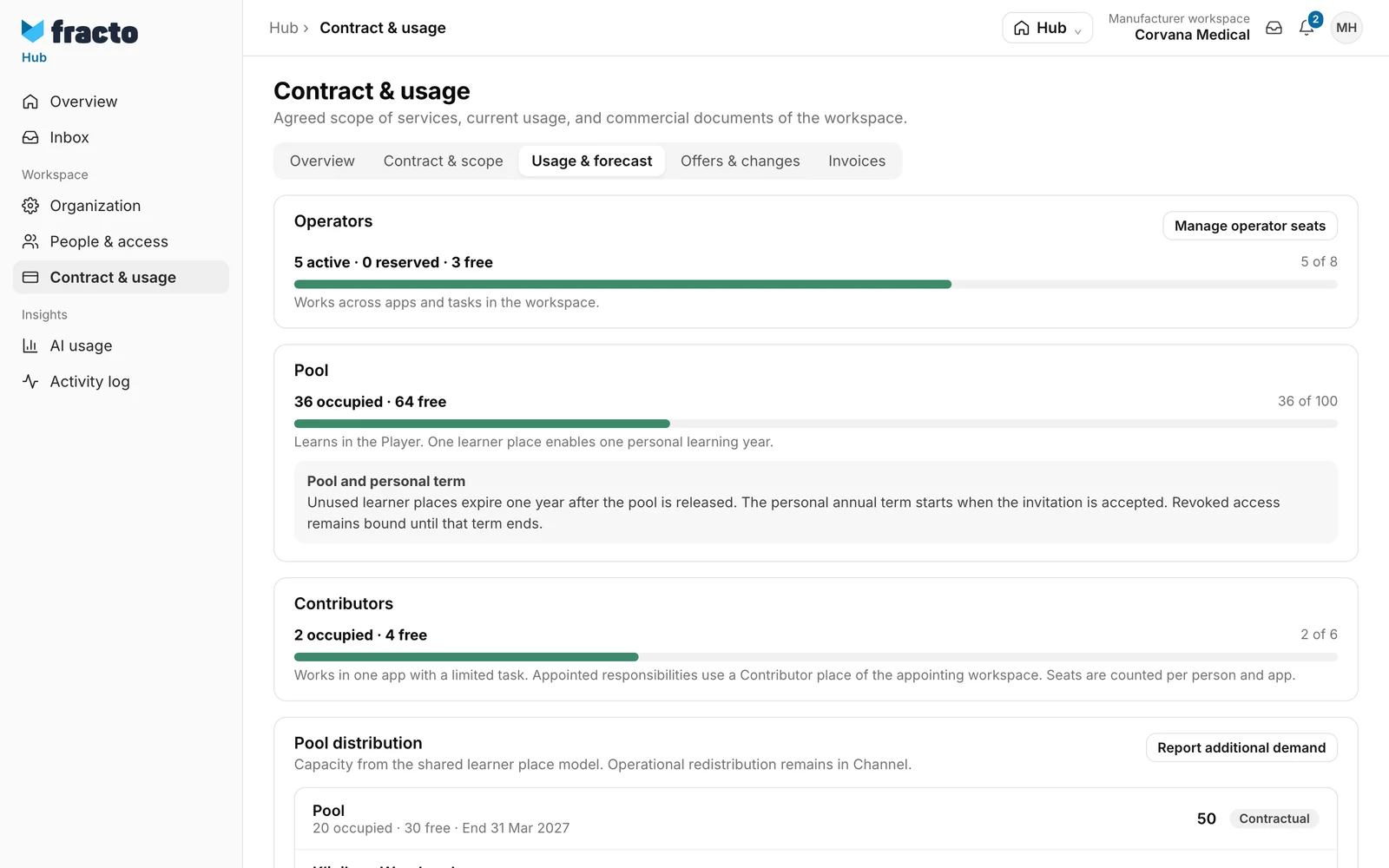
- Operators shows how many seats are active, reserved and free. Manage operator seats opens People & access on the tab for operators, see Roles and permissions.
- Pool shows the learner places: learners learn in the Player, and one learner place enables one personal learning year. Unused learner places expire one year after the pool is released. The personal annual term starts when the invitation is accepted. Revoked access remains bound until that term ends.
- Contributors shows the occupied and free Contributor seats. They are counted per person and app.
- Pool distribution lists the quotas, Contractual or Allocated, with occupancy and end. The redistribution itself happens in Channel, see Allocate learner places. Report additional demand leads to Offers & changes.
Offers & changes
At the top, except in the Fracto Support view, there is the Channel quota requests card. There you approve or reject learner place requests from Channel, see Allocate learner places.
Under Change requests you find your capacity requests with type, quantity, effective period and status. The status is first “Requested”, later “Provisioned” or “Rejected”. A rejection shows the reason. With Manage capacity you submit a new request in three steps (Details, Review, Result): capacity type (Operator, Contributor or Learner), quantity, effective period (“Immediately, if permitted” or “Next period”) and Reason. The reason is required, without it Continue stays blocked. Fracto distinguishes for the quantity: for Operator and Contributor you enter the desired total (Target quantity), for Learner the Additional learner quantity. If the immediate target quantity is below current occupancy, only Next period is possible.
A request saves only the wish. It changes neither stock nor payment nor access, and a later reduction does not automatically remove anyone’s access. Fracto will contact you about implementation. For a request you can ask a question in the inbox with Discuss request. Offers and changes from the commercial system are not yet connected; until then the active contract stays unchanged. Report a change request in inbox lets you write to Fracto.
Invoices
Invoices are not yet available for the workspace. Ask Fracto a question opens a billing question in the inbox.
How you know it worked
After a request, Fracto shows “Capacity change requested” with quantity and status. The request then appears under Change requests. The new request goes to Fracto. Fracto notifies the person who made the request about the decision, by email and in the app (“Capacity requests”). They can switch this off in their preferences.
If it does not work
| Message | What it means |
|---|---|
| Contract and usage could not be loaded. | Click Try again. |
| The request could not be saved. | The request was not created. Try again. |
Checked on 6 November 2026 against the current Fracto release.
