
Network: regions, teams, partners, institutions
How the network in Channel is built: regions, internal teams, external partners and institutions, who manages what and where learner places end up.
The network shows how your sales organisation is built: regions, inside them internal teams and external partners, and next to them institutions that receive their learner places from their region. You view and maintain it in Channel under Network & learner places.
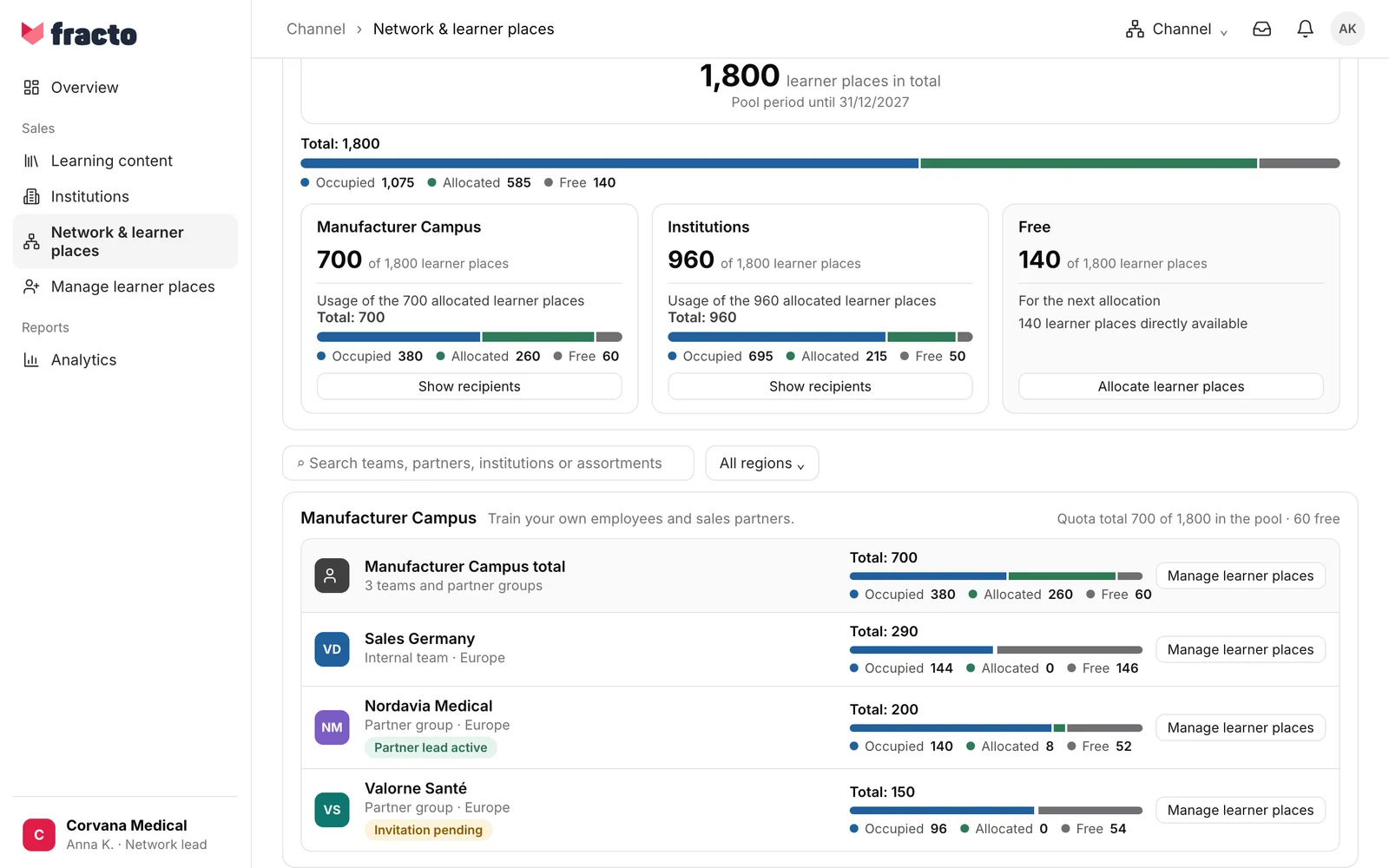
Where to find the network
Channel is available for manufacturer workspaces. In the sidebar, open Network & learner places. At the top, the page shows how the learner places of the pool are distributed. Below it are the Manufacturer Campus with its teams and partner groups, and below that the institutions by region. An example with invented names: region Europe → partner Nordavia Medical → supervises Klinikum Wendmark. Use the search field and the All regions filter to narrow the list.
Add element creates new entries: Region, Internal team, Partner and Institution. Which of them you see depends on your permissions.
The building blocks
- Region. An area of responsibility and quota. A region can cover a country, several markets or a strategic area. Its coverage is for orientation and search. Overlaps with other regions are allowed and do not change access rights. A region is not an assortment: product groups are set per team, partner or institution.
- Internal team. A sales team inside the manufacturer. People and learning organisation are maintained in Campus.
- Partner. An external organisation that stands as its own network entry in a region, on the same level as the internal teams. A partner has no subordinate teams. The organisation name is also the visible partner name. Its employees learn in the manufacturer’s Campus. “Partner” in Channel and Partner group in Campus are the same entry.
- Institution. A clinic or practice that uses your courses, for example Klinikum Wendmark. Manufacturer-funded institutions receive their learner places directly from their region. If a team or a partner supervises the institution, its learner places still come from the region.
What Channel manages and what stays in Campus
Channel manages structure, responsibility, assortment and quota. Members, learner profiles and requirements stay in Campus. For a team or partner to appear there, activate it with Activate in manufacturer Campus; this transfers only the structural shell.
- The assortment is the selection of product groups available to an entry. See “Make a course available to a partner”.
- The quota is the number of learner places of an entry. See “Learner places and quotas”.
- Campus leads publish announcements to learners in their own institution. Channel has no function for that. You can write to partners with Message partners, see “Send a message to partners”.
Who may do what
- The Network lead manages the whole network. Only the network lead can create a new partner organisation. The network lead sees their role in the page header next to the buttons.
- The Region lead sees the teams, partners and institutions of their region and can create teams there.
- The Partner lead manages the business relationship with a partner and its assigned institutions.
- The Team lead is responsible for an internal team.
- A lead is always appointed by someone one level above. Anyone who receives a lead role takes up a Contributor place if they do not have one yet. The form shows how many are still free.
- If you can only read, you see for example the note “You can view these relationships. The network lead handles changes.”
The collaboration with a partner (the partner relationship) can be paused and ended. An ended relationship is not reactivated; its history is kept. Start a new partnership begins a new partnership with the same partner. You find the button in the Add team or partner dialog when you choose an ended partner under Existing organization. Earlier responsibilities are not restored.
Checked on 6 November 2026 against the current Fracto release.
