
Pause or end a delivery
How to pause your delivery to an institution in Channel, resume it or end it, and what happens to learner places and the Campus lead.
The delivery is what you provide to an institution: courses and learner places. You can stop it for a while and resume it later, or end it for good.
Before you start
- You are the network lead (Hub task “Lead network”) or appointed in Channel as region, team or partner lead for this area. This applies to pausing, resuming and ending. If your only Hub tasks are “Manage region” or “Manage team”, you may not. Without the right, the buttons on the Delivery card are missing.
- The institution is set up in Institutions. How is described in “Add an institution and assign its Campus lead”.
- Pausing and ending affect only your delivery. If other manufacturers also supply the same institution, their deliveries stay untouched.
Pause a delivery
- In Channel, open Institutions and click the institution. The Delivery card shows the status, for example Active.
- Click Pause delivery. There is no confirmation.
You know it worked when “The delivery is paused.” appears. The status on the card is Paused and the button now reads Resume delivery.
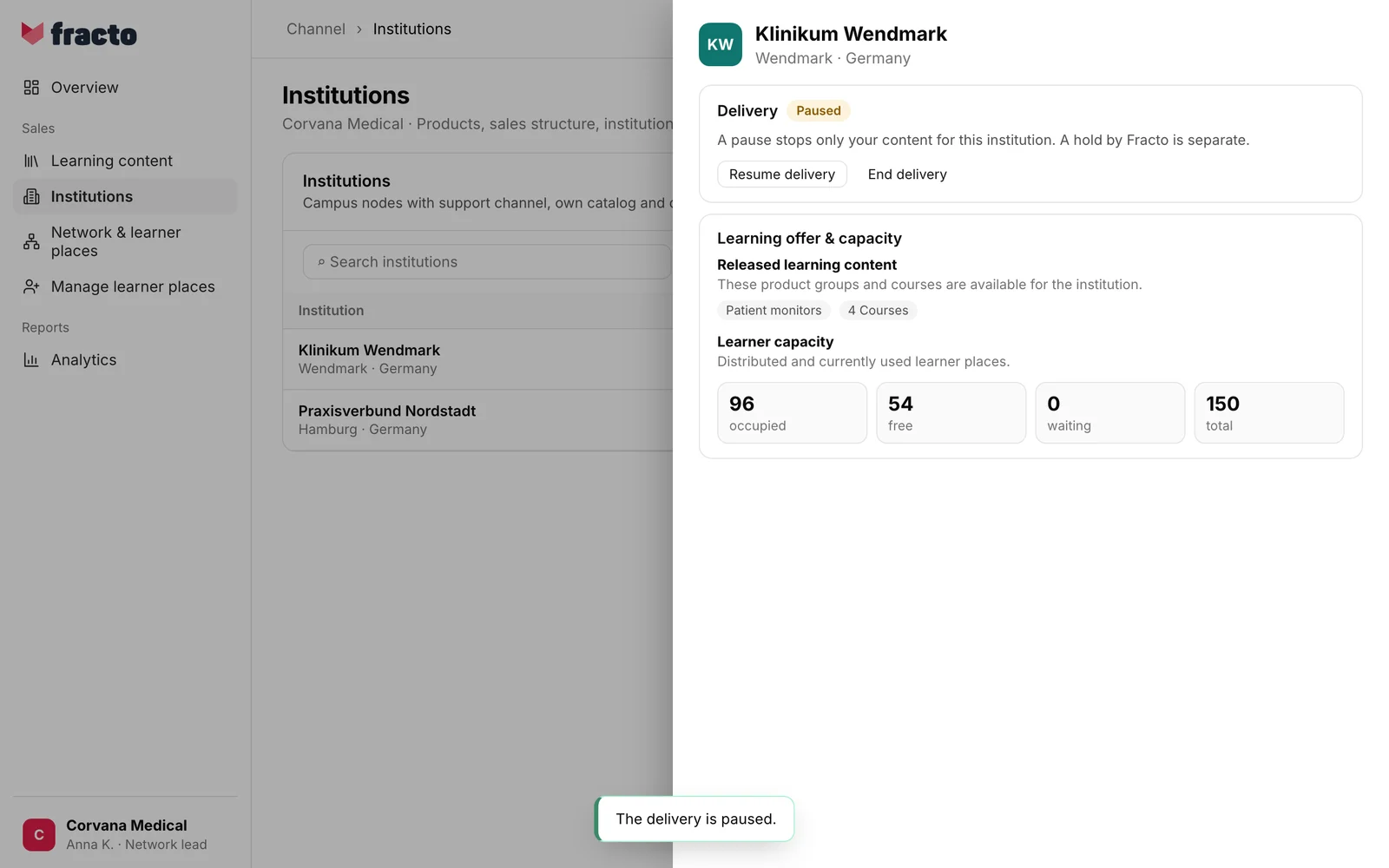
To resume, click Resume delivery. “The delivery is running again.” appears.
What a pause does
- A pause stops only your content for this institution. The institution can no longer use your courses and the learner places of this delivery for new invitations, and learners can no longer open your content through this delivery.
- The institution’s learner places stay allocated. The quota does not change, and the Campus lead and the assortment stay as they are.
- Nobody receives a message when you pause.
- The pause is independent of On hold by Fracto. Only Fracto sets and lifts that hold. Resume delivery lifts only your own pause.
- If the partner relationship is paused, the delivery to the institutions that partner supports counts as paused as well. Only the partner relationship itself can lift that, not Resume delivery.
End a delivery
-
Open the institution in Institutions and click End delivery on the Delivery card.
-
Read the question “End the delivery to “…”?”. It names the consequences: the delivery ends, sponsored Campus managers of this delivery end too, and an ended delivery cannot be restored.
-
Click End delivery.
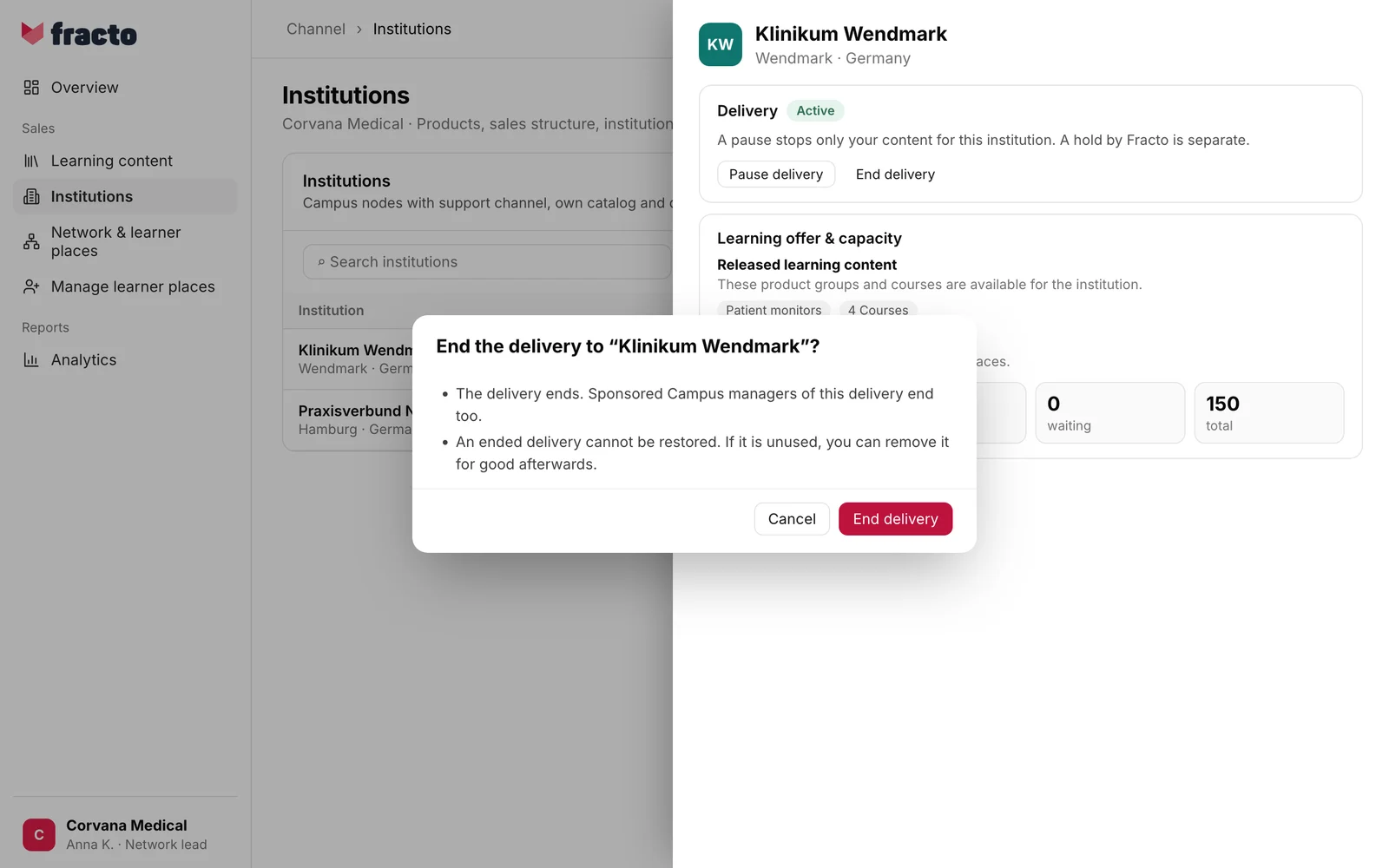
You know it worked when “The delivery has ended.” appears. The institution view closes.
What ending does
- The institution’s quota node ends and its allocations are revoked. Unused learner places are released. Learner places that are already occupied stay, as in the pool: bound until the end of the pool period.
- Sponsored Campus leads of this delivery end. The Contributor place reserved for them becomes free, unless someone else needs it.
- Open direct assignments from this delivery are cancelled at once. The learners concerned receive the in-app notification “Training withdrawn” (cannot be switched off) and, unless they switched it off, an email. Obligations from the matrix and learning access that hung only on this delivery are cleaned up in the background afterwards.
- If it was the last running or paused delivery to an institution with Campus Light, the institution’s Campus is locked afterwards and nobody there can use it any more. A pause does not lock the Campus. What Campus Light is, is described in Campus Light and Campus Full.
- The institution itself stays as an organisation. The delivery cannot be resumed. If you want to supply it again, add the institution again or connect it anew.
- For a draft, the button is also called End delivery. A draft is discarded when you end it.
- If the ended delivery is unused, you can delete it with Permanently remove: “The delivery has ended. If it is unused, you can remove it for good; the institution stays.” Only someone with the Hub task “Permanently delete entries” may do this.
If it does not work
| Message | What it means |
|---|---|
| Channel could not process the institutions. Please try again. | General message. Causes include: the delivery has already ended or is no longer active, someone just changed it, or it rests because of a pause of the partner relationship that only the partner can lift. Reload the page and check the status. |
Checked on 6 November 2026 against the current Fracto release.
