
Export a course as SCORM
How to export a published course version from Studio as a SCORM 1.2 package (ZIP), and what is missing from the package.
From Studio you can download a published course version as a SCORM 1.2 package. The package is a ZIP file with the lessons and media. It contains no score, and some content is missing from it.
Before you start
- The course has at least one published version. Only versions that were published can be exported, including earlier ones. Versions you saved yourself and review versions do not offer the button.
- You may edit the course and see the Versions. Without the right to edit, the Export SCORM button is missing. If you lack only the right to export, the dialog shows “Export failed or is unavailable. Please retry.”
- The language you need exists in the version.
How to export
-
Open the course and then Versions in the sidebar. On the Course content page, the entry Export SCORM in the three-dot menu (More) also takes you there. It carries the note “In Versions, on a published version” and exports nothing itself.
-
Click Export SCORM on the published version you want.
-
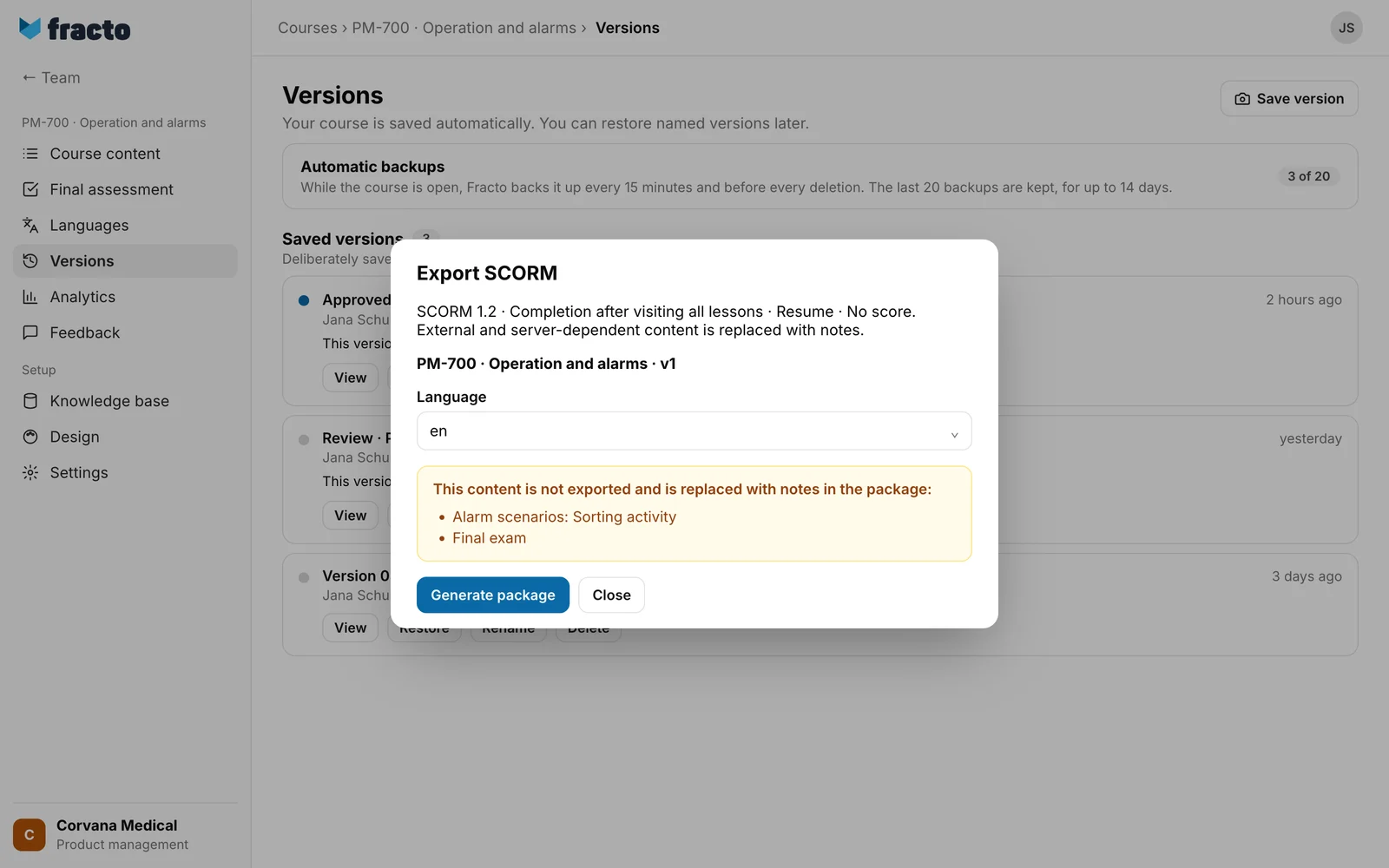
Above the Language field, the dialog shows the course title and the version. If the publication has no name of its own, it shows “v” and a running number, for example “v1”. Choose the Language. The languages of the version are offered as codes, for example “de” or “en”. The source language is preselected.
-
Read the note “This content is not exported and is replaced with notes in the package:”. It lists what will be missing.
-
Click Generate package. Fracto builds the package in the background and shows “Generating package…”. Keep the dialog open.
-
When the package is ready, Download ZIP appears. Click it.
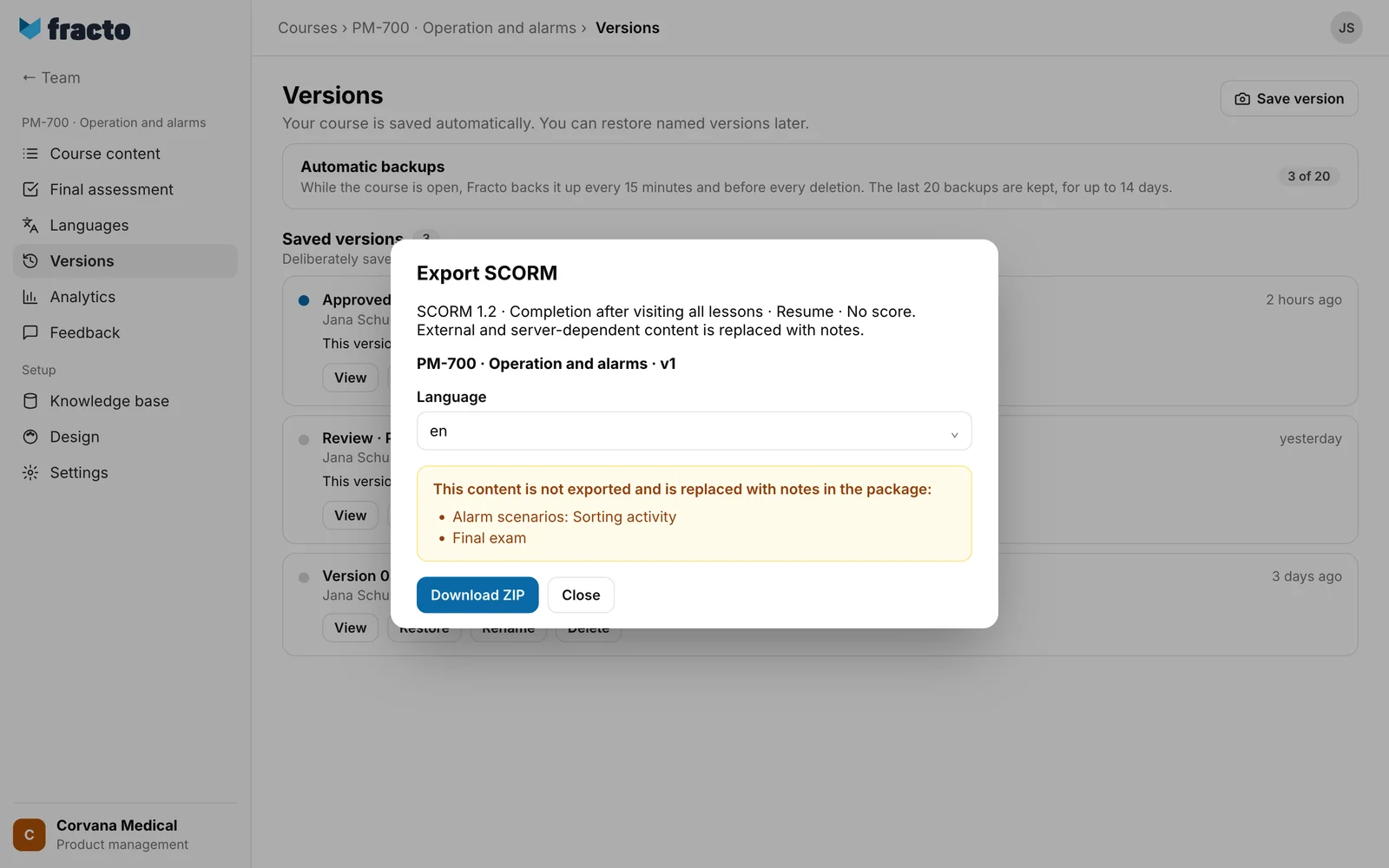
You know it worked when your browser downloads a file whose name starts with “fracto-”, followed by the internal ID of the version and the language code, for example “fracto-
What is in the package and what is missing
- The package follows SCORM 1.2. Completion counts once all lessons were visited. Resuming is possible, and there is no score.
- It contains the lessons that learners see, in the chosen language, with the media they need. Hidden lessons are missing.
- The final assessment is missing. At the end of the last lesson there is a note instead: “Content not exported: Final exam”.
- These blocks are replaced: H5P interaction, Course evaluation, Embed, SCORM, Action button, Button group, Sorting activity and Decision. Videos that are embedded from a video service, instead of uploaded as a file, are replaced too.
- A block that contains a link or a reference to an external address or to Fracto itself is replaced as a whole, even for an ordinary link in the text and for a web address that is only written out in the text. Email and phone links are kept. Block types that Fracto does not know are replaced too. The package contains no references to external addresses or to Fracto.
- Questions from knowledge checks and quiz blocks are in the package, but disabled and without solutions. Above them it says “Questions without answer checking”. Learners cannot answer them.
- Each replaced block shows “Content not exported:
” in the package, for example “sorting_activity”. Only the final assessment is written out there. The readable names appear only in the note in the dialog, per lesson: “Alarm scenarios: Sorting activity”. - Without a learning management system, the package shows “No LMS connected. Progress will not be saved.”
What happens next
- The package stays available for 24 hours and is then deleted. After that you need a new package. If you click Download ZIP after it has expired, the download fails in the browser. Fracto shows no message for this. Close the dialog and generate a new package.
- Only the person who requested the package can download it.
- Fracto checks the rights again when it builds the package. If you lose the right to export in the meantime, the export fails.
If it does not work
| Message | What it means |
|---|---|
| Export failed or is unavailable. Please retry. | This one text covers all cases: the version was never published, the language is missing from the version, the course is empty or too large, you no longer have the right, or the service is unavailable right now. Click Retry. If that does not help, check the version and the language. |
A course is too large if the media in the package add up to more than 480 MB or there are more than 9,000 media files. Then too, only the text above appears. In that case, make the media smaller.
Checked on 6 November 2026 against the current Fracto release.
